
Video Smart HD
If rerolling at high resolution is poor value, or you already have a 480P or 720P video whose action, framing, and performance you like, but the picture is not sharp enough and small faces in medium-long shots stay unstable, try NadouPro’s new Smart HD feature.
Smart HD is an HD remaster for Multi-Reference video generation. It supports only 480P/720P videos generated by Seedance 2.0 or Seedance 2.5 in Multi-Reference mode. The system regenerates an HD version from the current low-resolution video, the original task prompt, character reference images, and related assets. It keeps the original action, framing, camera movement, and performance as closely as possible, while improving small faces in medium-long shots, facial blur during motion, and subject consistency. Text to Video, Video Editing, and Start & End Frames are not supported yet.
How does Smart HD compare with Ultra HD?
Ultra HD mainly upscales and sharpens the original video. If a 480P/720P video already has blurred small faces, distorted features, or identity drift, those problems can be enlarged and kept with the picture.
Smart HD regenerates an HD version from the current 480P/720P video, the original task prompt, character reference images, and related assets. It raises clarity, and it focuses on:
- Small faces in medium-long shots: rebuild facial features and skin detail missing from the low-resolution picture
- Stable faces in motion: reduce facial blur and distortion when a character walks, turns their head, or the camera moves
- Preserved action and performance: keep the original action, framing, camera movement, and performance as closely as possible
- Multi-subject consistency: reduce identity drift between shots, and keep characters distinguishable in multi-character scenes
| What improves | Character references | Original 480P | Ultra HD 1080P | Smart HD 1080P |
|---|---|---|---|---|
| Stable faces in motion & Preserved action and performance | 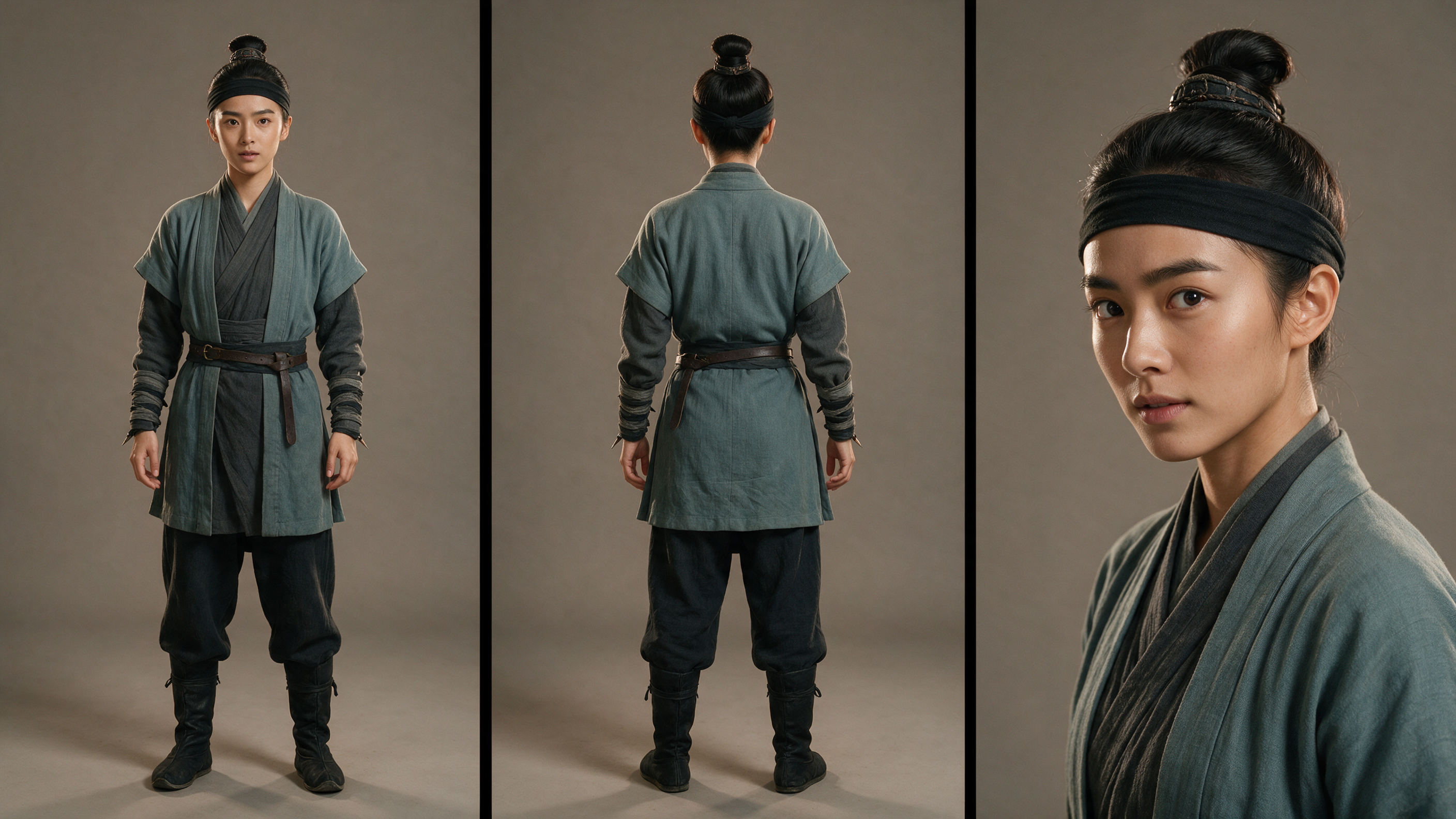 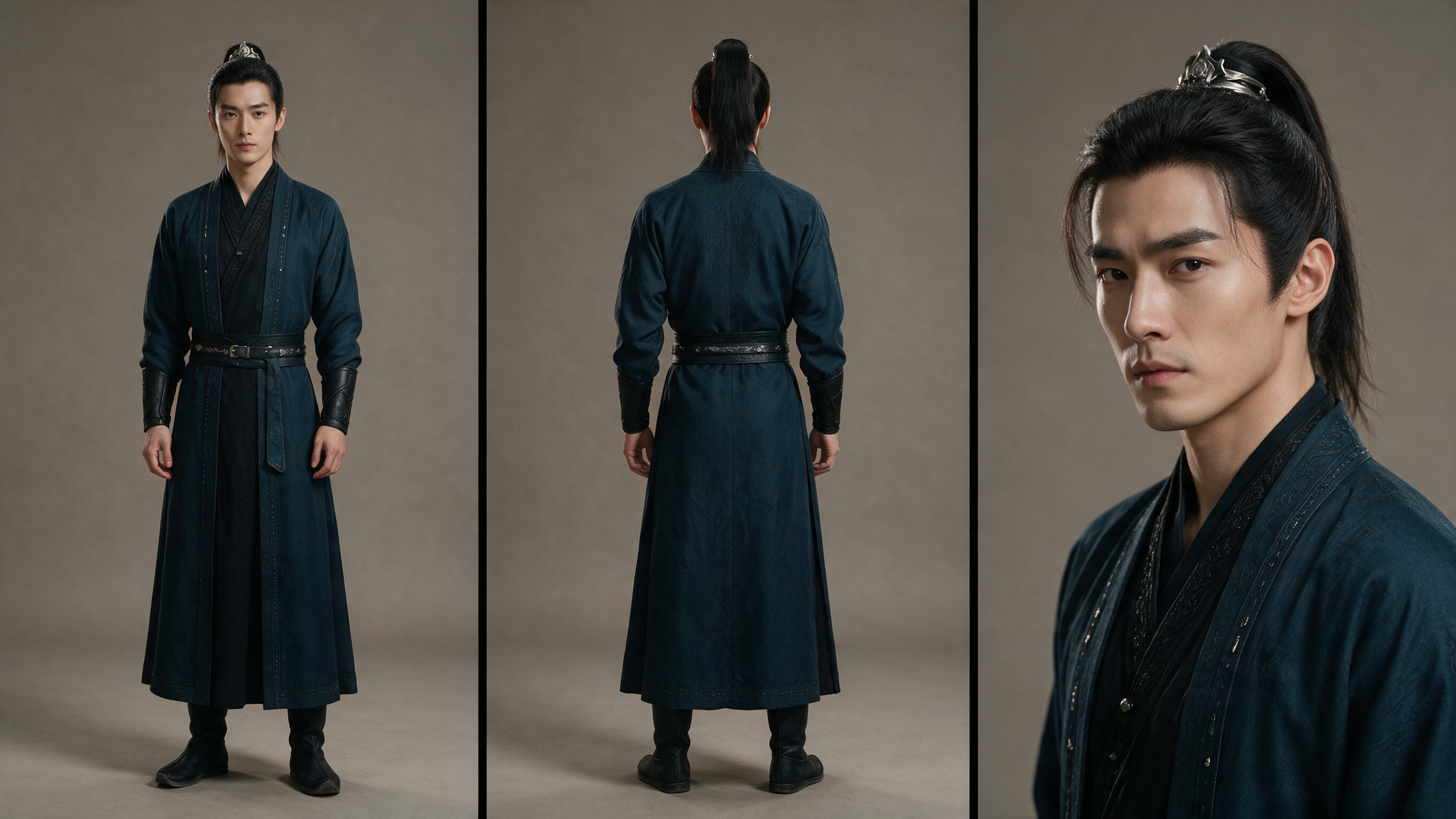 | 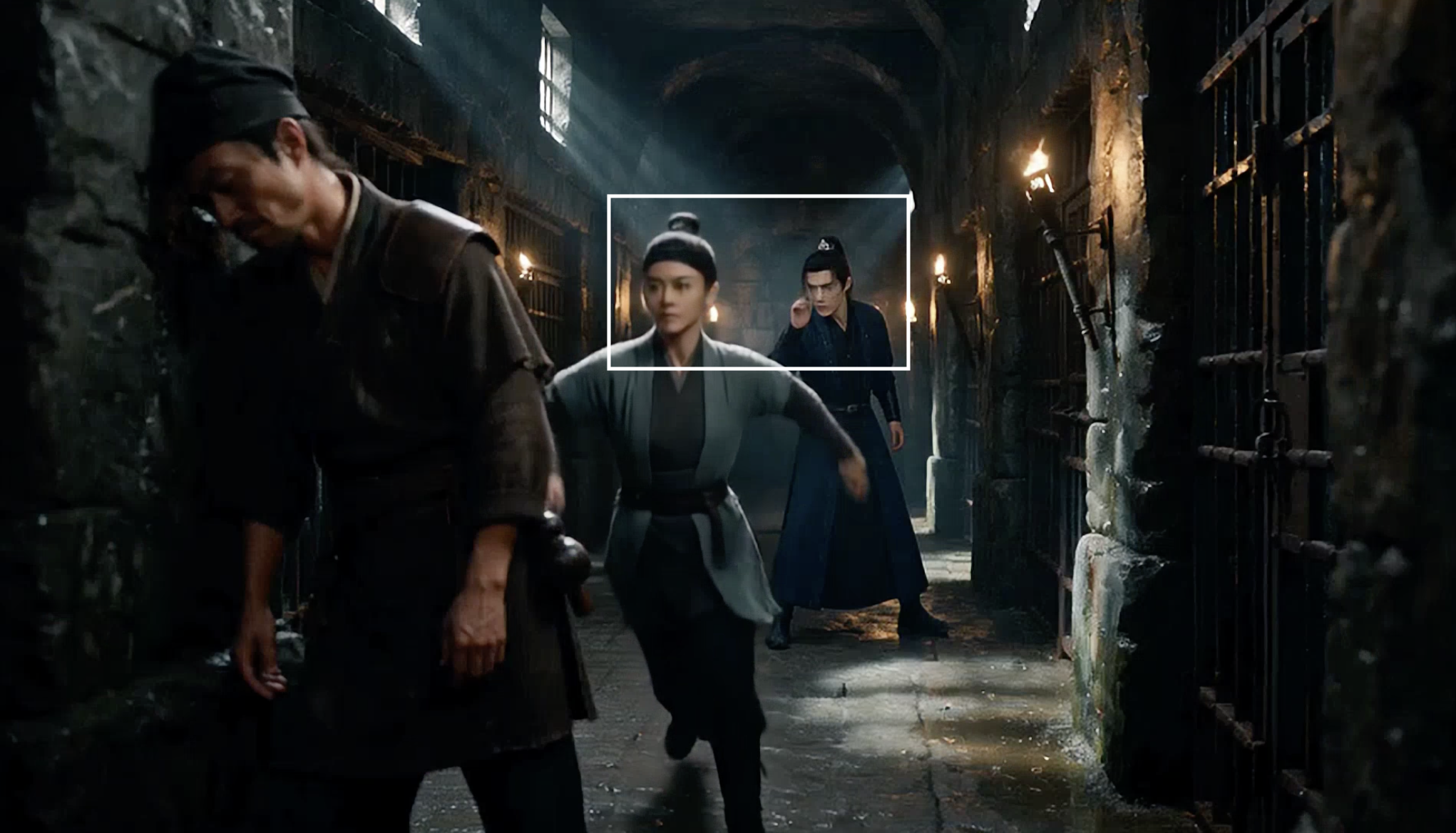 | 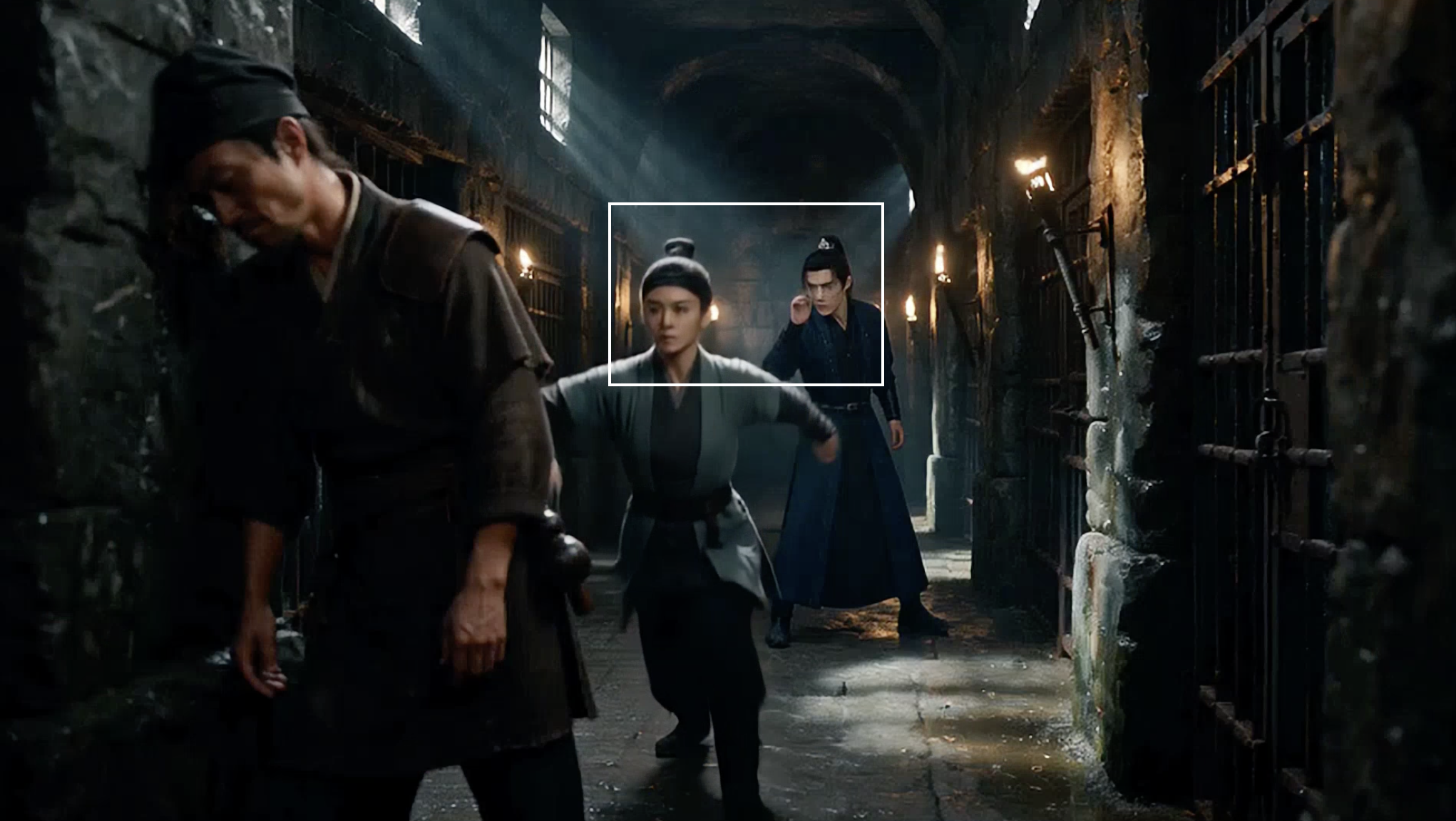 | 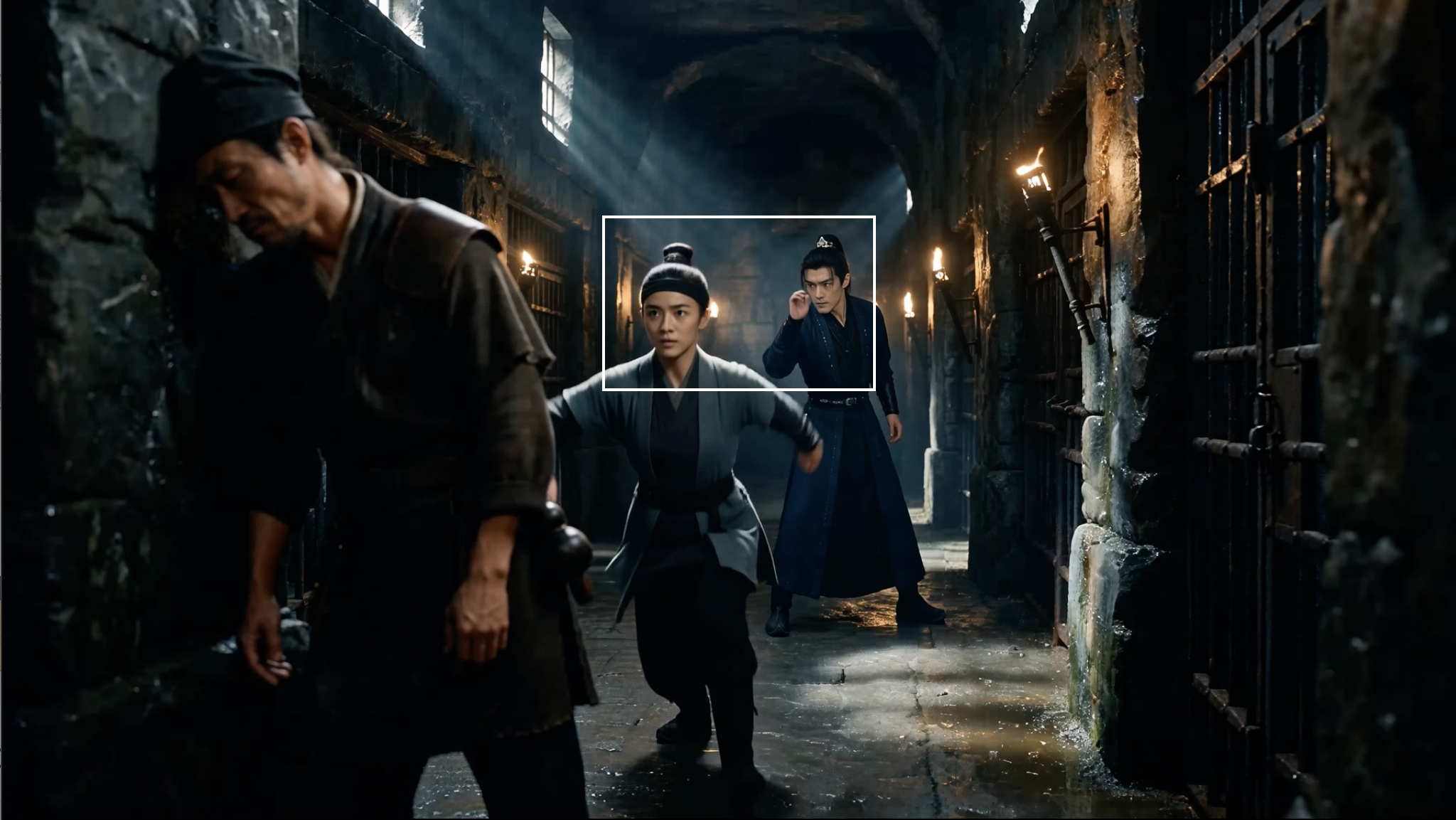 |
| Redrawn small faces in medium-long shots & Multi-subject consistency | 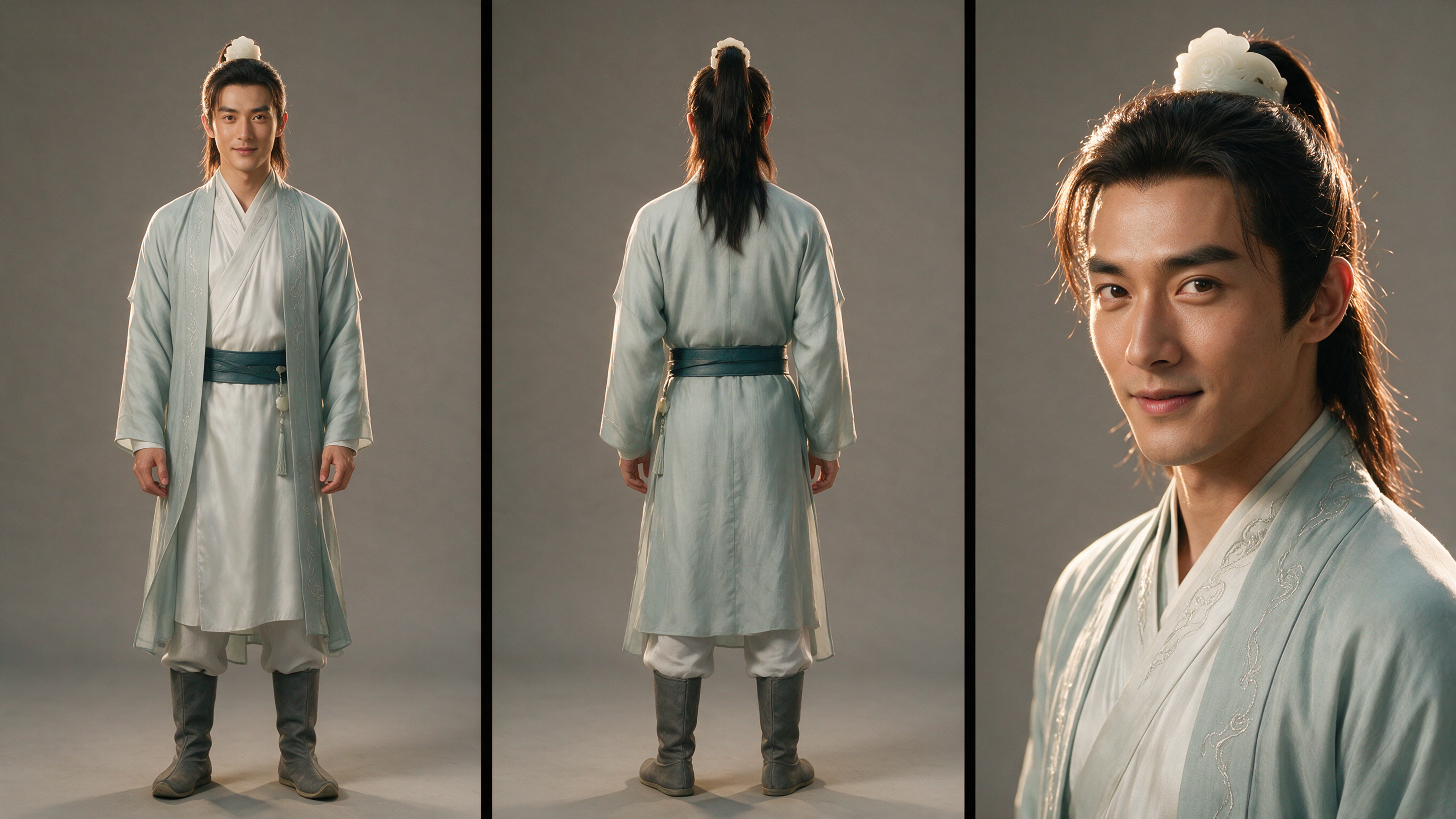 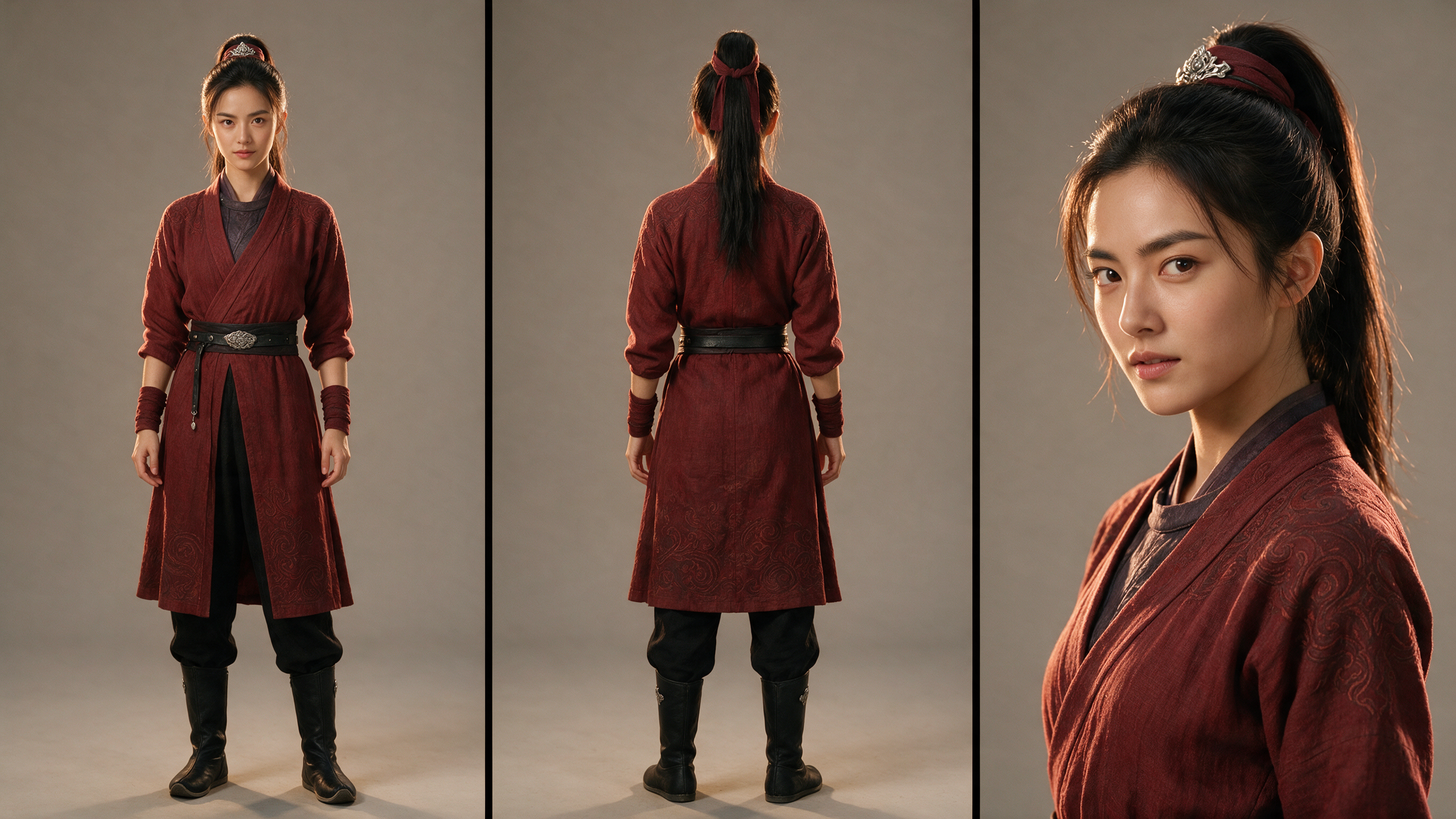 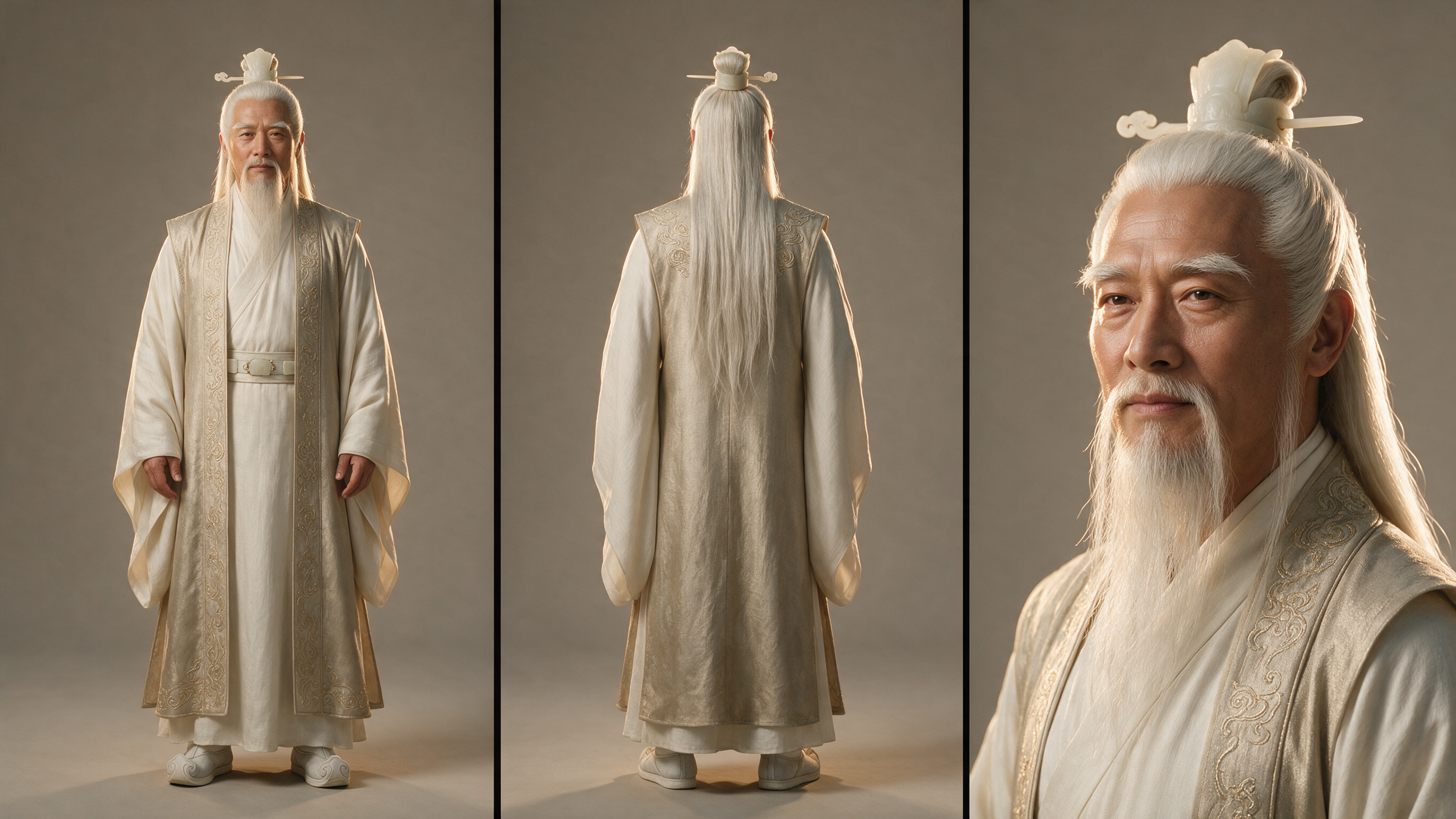 | 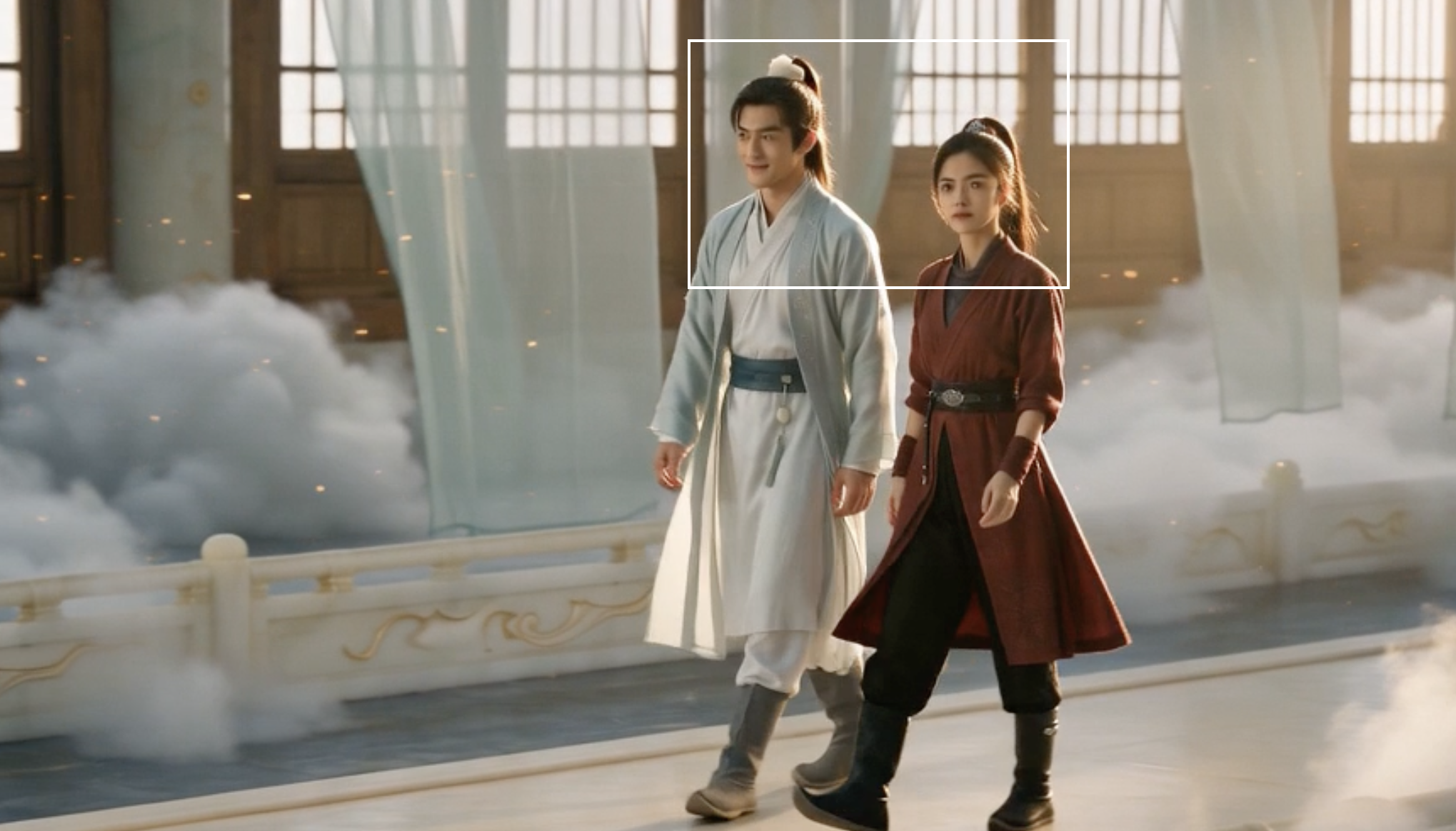 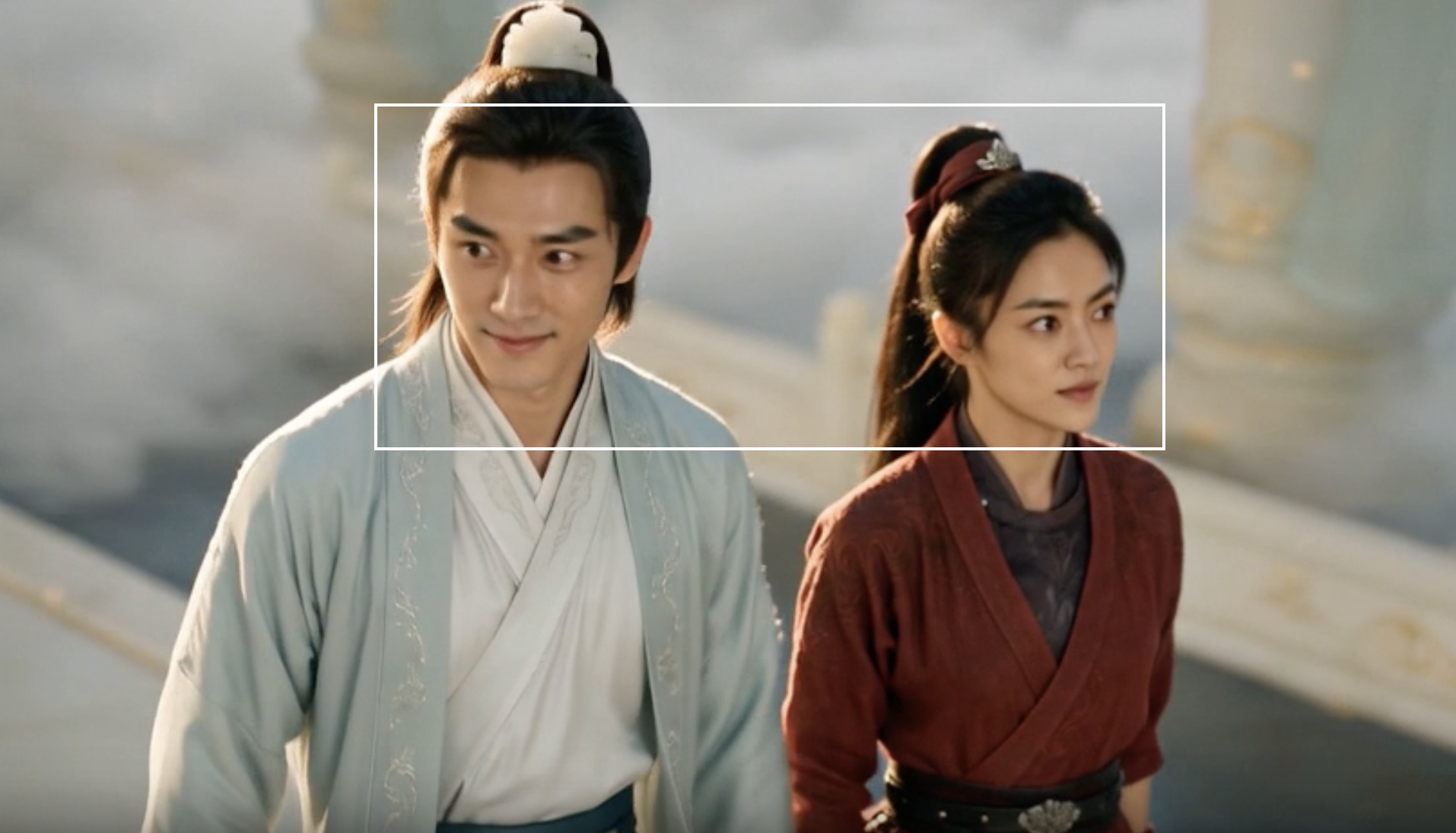 | 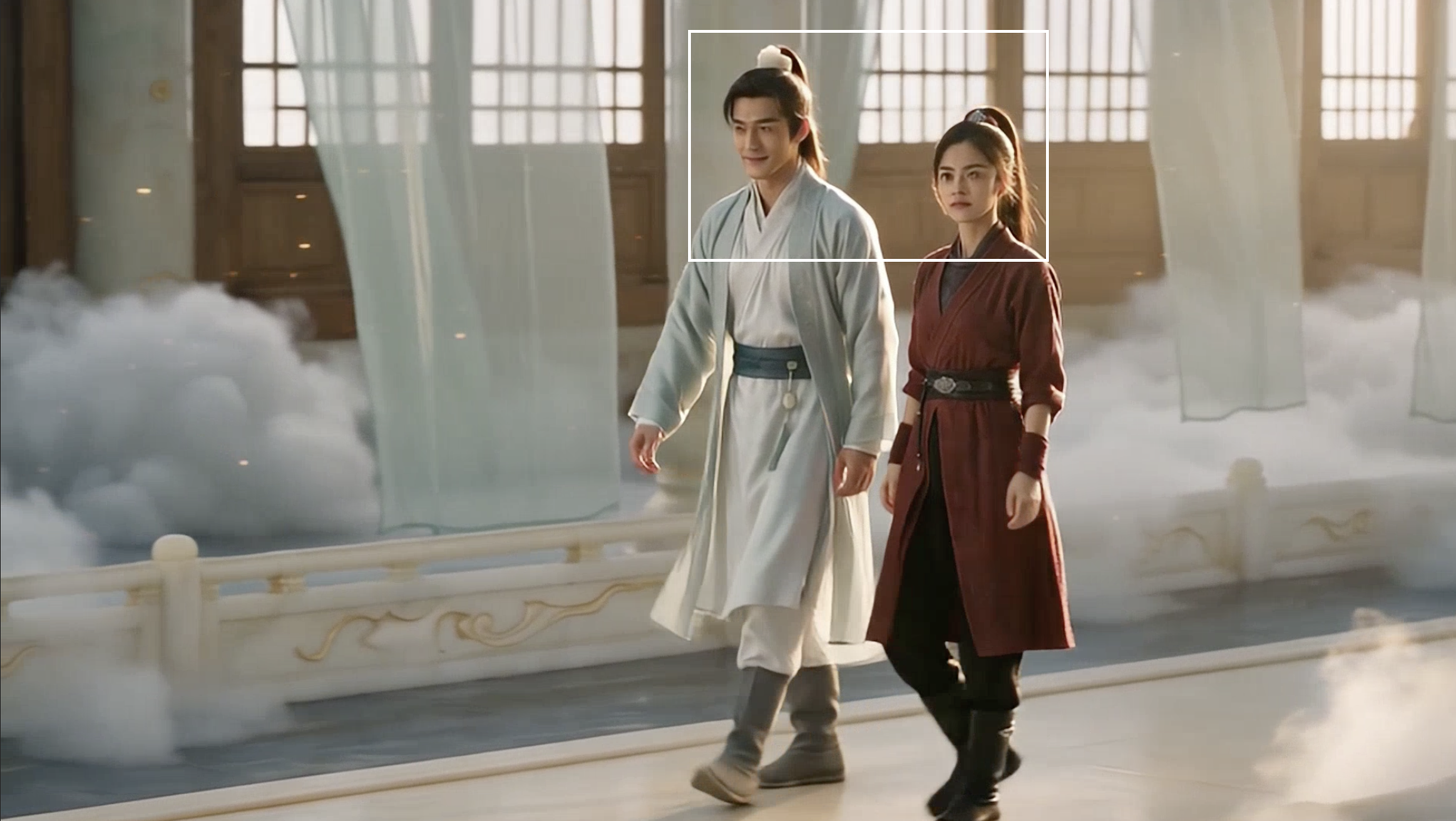 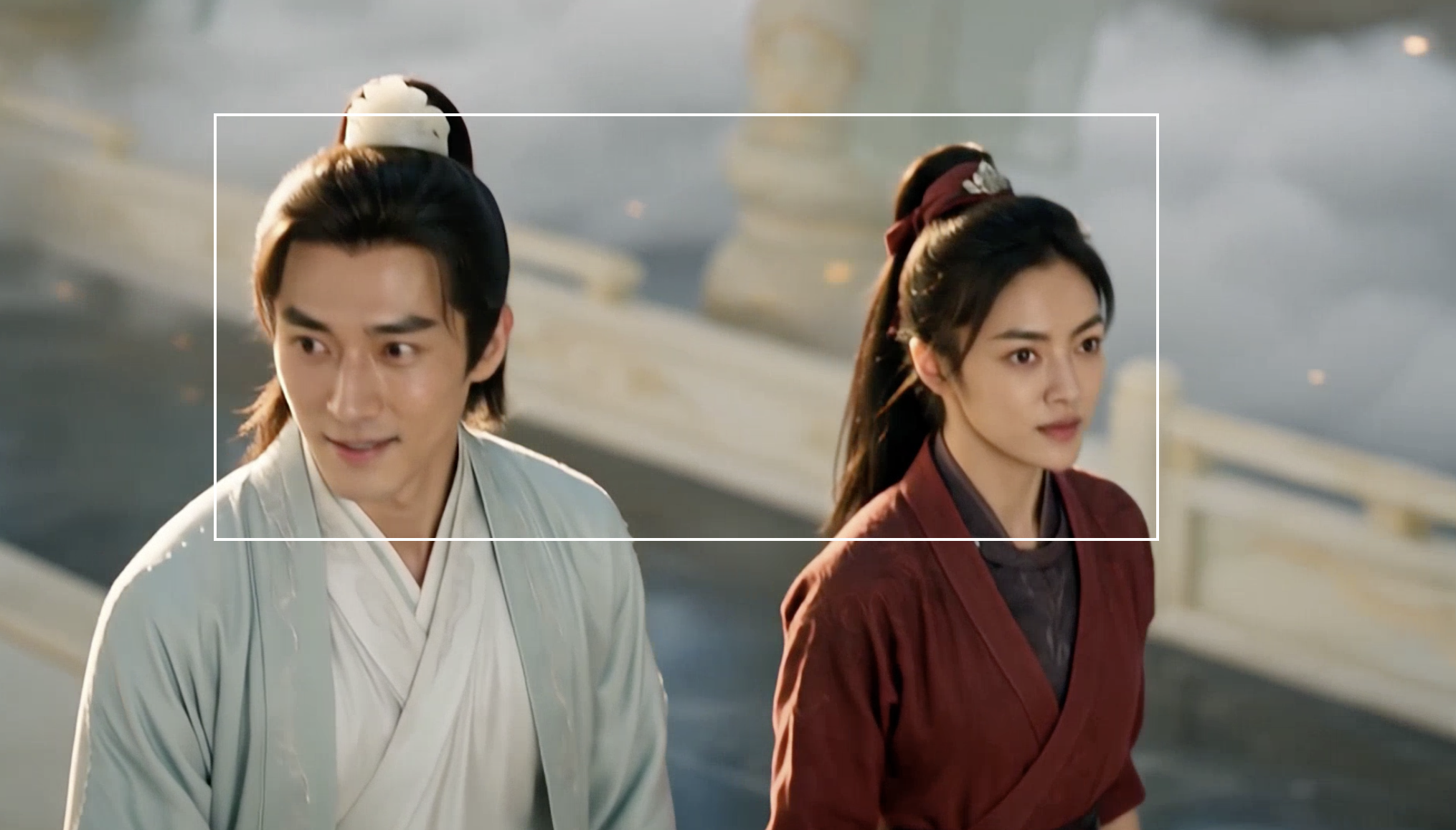 | 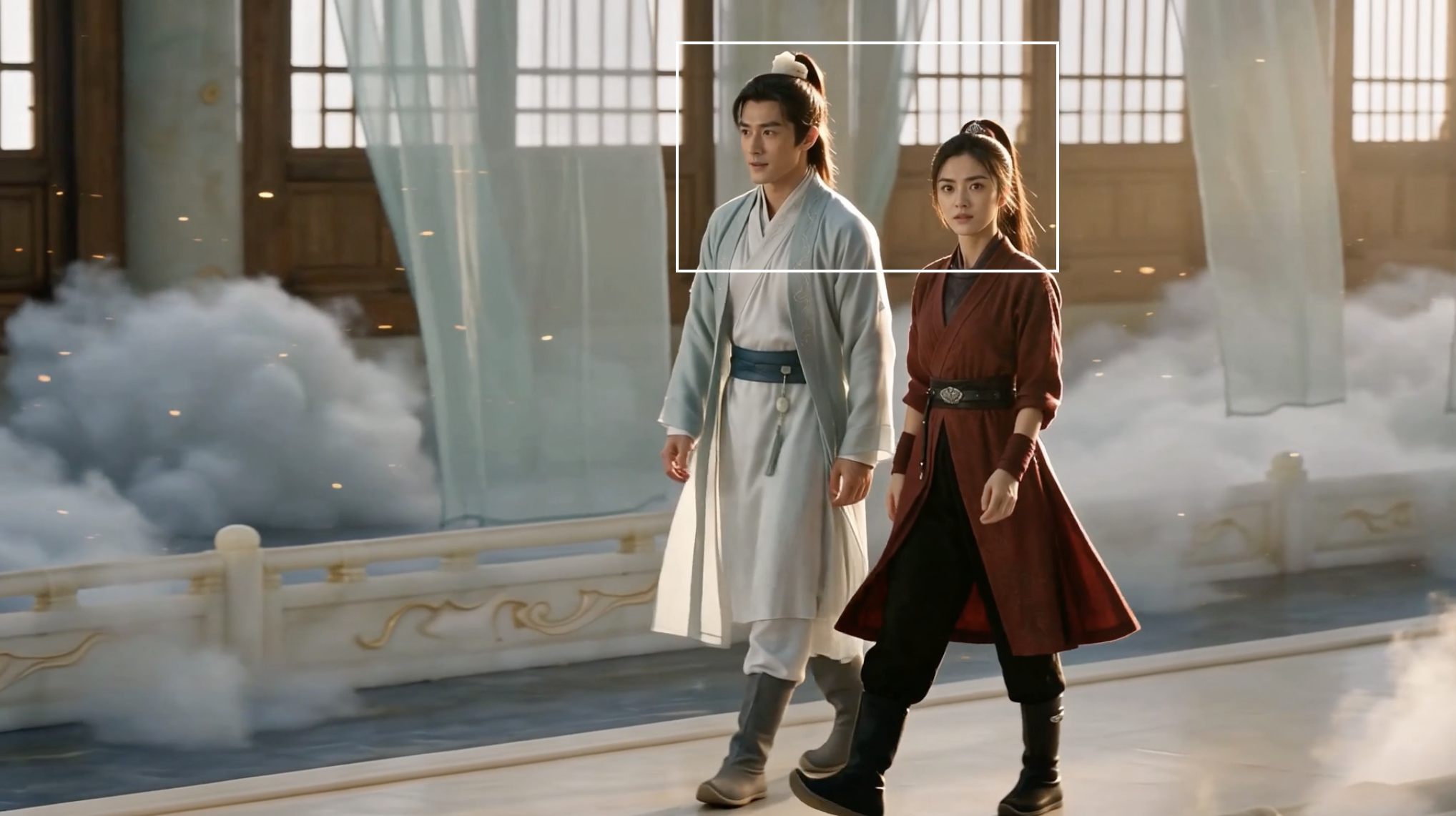 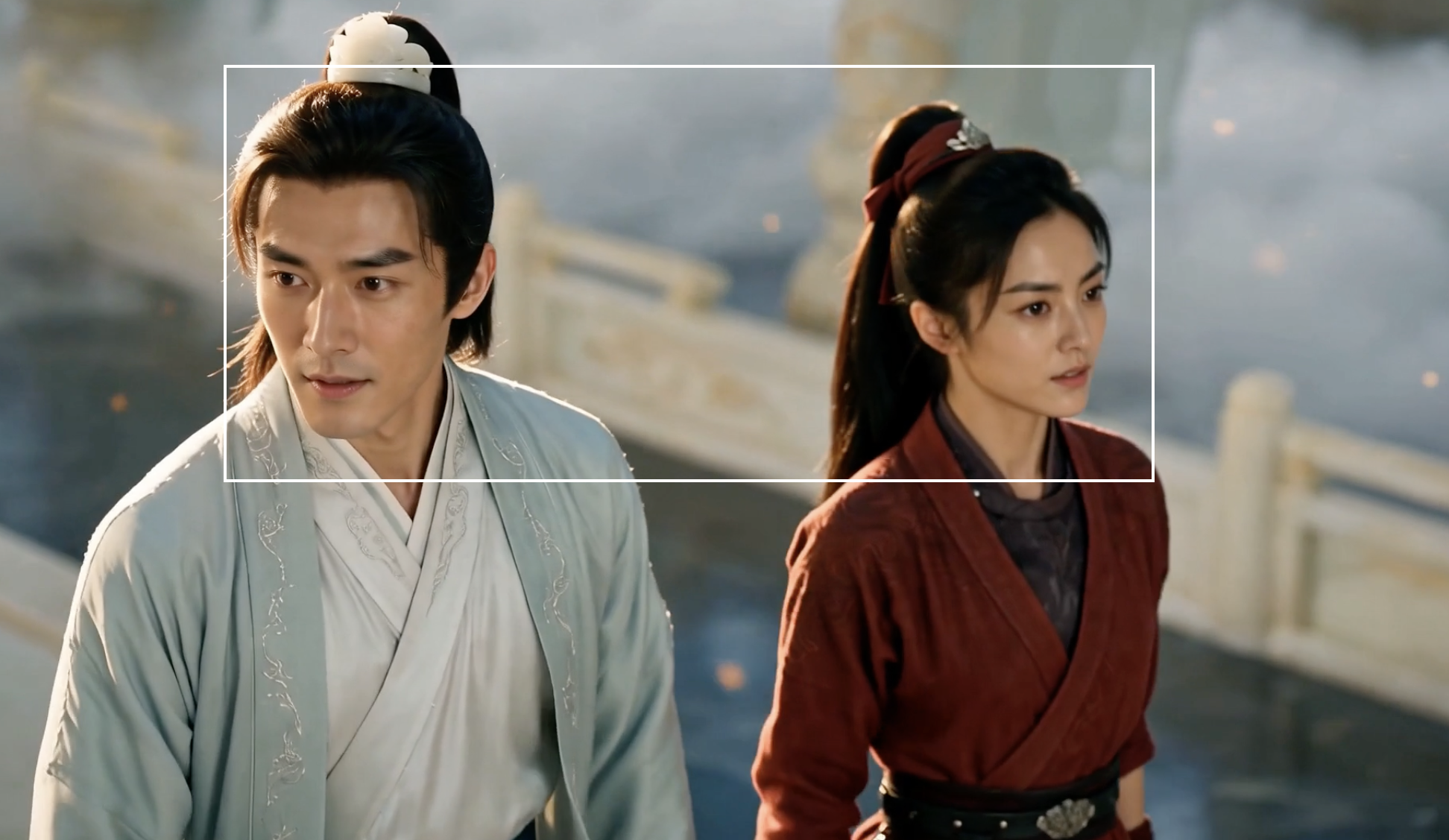 |
How do I use Smart HD?
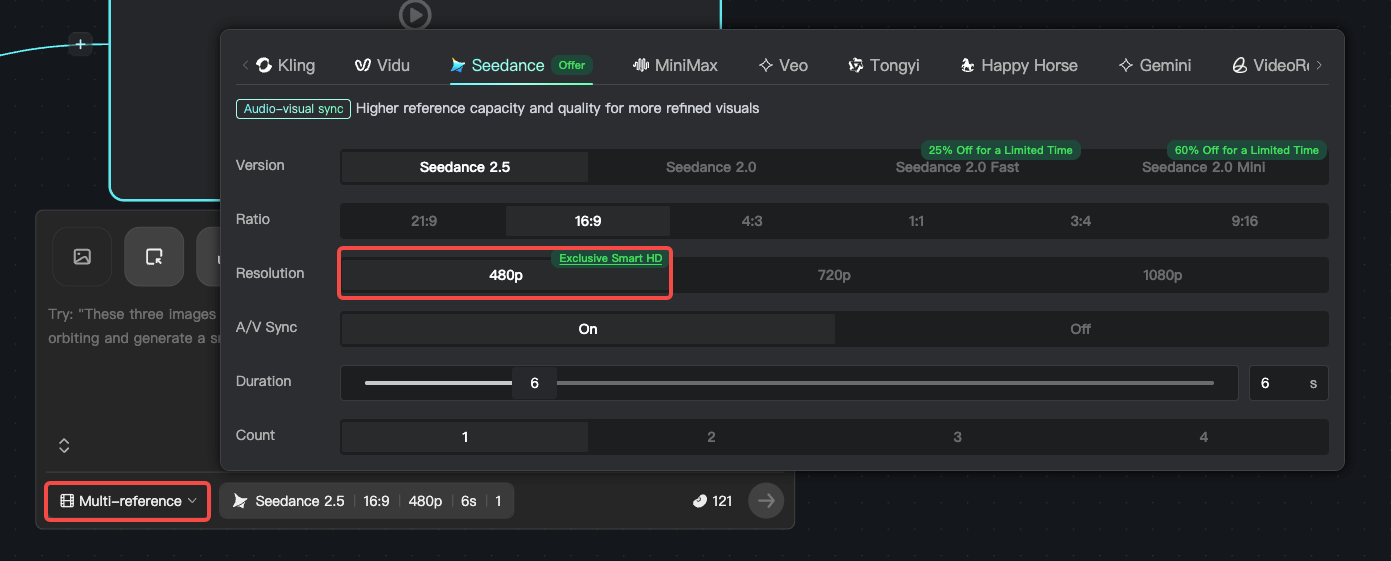
Step 1: Generate a 480P/720P video
Choose Multi-Reference mode, select Seedance 2.0 or Seedance 2.5 in the model settings, and generate a 480P/720P video.
Step 2: Select a 480P/720P result you are happy with
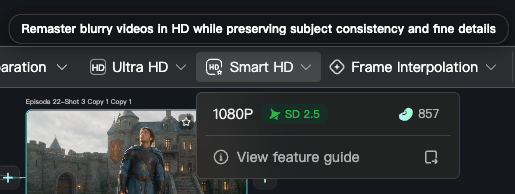
After generation, select that 480P/720P video on the Canvas. Smart HD appears on the selected video’s toolbar only when all of the following are true:
- The original task used Multi-Reference mode.
- The video was generated by Seedance 2.0 or Seedance 2.5.
- The original output resolution is 480P or 720P.
Step 3: Choose the output resolution and generate
Click the dropdown arrow to the right of Smart HD and select the output resolution you need: 1080P.
After you select the resolution, the system inherits the original task’s prompt and character reference images, and uses the current 480P/720P video as a reference to generate the HD version.
Before you submit, confirm the Beans required for this generation. When it finishes, the HD version appears on the Canvas as a new result. The original 480P/720P video is not overwritten or deleted.
FAQ
When should I use Smart HD, and when should I use Ultra HD?
| Situation | Recommended feature |
|---|---|
| Text to Video tasks with no clear character reference images | Ultra HD |
| The original video and characters are already stable, mostly in medium close-ups, and you only need higher resolution and overall clarity | Ultra HD |
| In a Multi-Reference task, faces in medium-long shots are small, with blurred or distorted features | Smart HD |
| In a Multi-Reference task, faces blur when characters move quickly, turn their heads, or the camera follows them | Smart HD |
| In a Multi-Reference task, a character’s appearance is inconsistent after a change in shot size or a cut | Smart HD |
| In a Multi-Reference task, you want to keep action, framing, and performance you already like, while regenerating HD detail | Smart HD |
Ultra HD mainly enlarges and enhances the original video. Use it when the characters and picture are already stable and you only need more clarity.
Smart HD regenerates an HD version from the current 480P/720P video, the original task prompt, and character reference images. Use it when you need to improve small-face detail, facial blur during motion, and subject consistency.
How can I make Smart HD more stable?
The original task should include clear, accurate character reference images. Use references with a clear face, no occlusion, and normal lighting. Cover both frontal and profile views when you can, and keep hairstyle, makeup, and costume close to the character in the video. Clearer references and more complete angles help Smart HD hold character traits in long shots, head turns, and fast motion. Low-resolution, heavily occluded, or inconsistent character references can affect the result.
Character reference image examples:
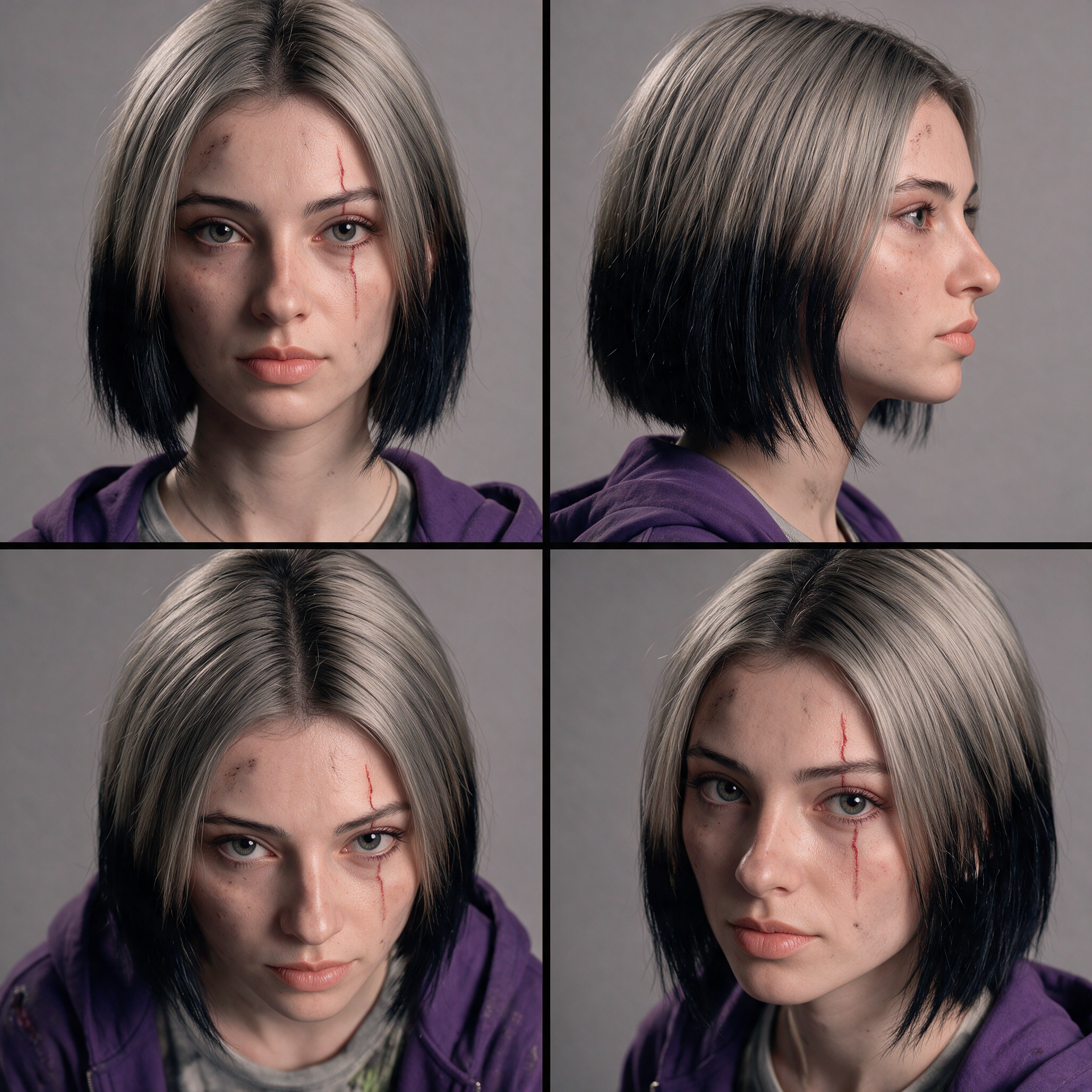
Character reference video example:
Can Smart HD fix every face and picture problem?
No. Smart HD regenerates HD detail while keeping the original action, framing, and performance. It cannot fix every generation problem. If the original 480P/720P video has any of the following, generate the video again:
- The character’s identity is already completely wrong
- Limb structure is severely abnormal
- Action, framing, or camera movement does not match what you wanted
- A key character or object is missing
- The video clearly diverges from the prompt
If you are happy with the content, and the only issues are insufficient clarity, blurred small faces, or unstable faces in motion, Smart HD is the better fit.