
How to Choose an AI Science Animation Tool: From Concepts to Finished Video with Nadou Pro
How to Choose an AI Science Animation Tool: From Concepts to Finished Video with Nadou Pro
This time I used an original scene of a student observing the wall of a cold drink cup to draft the opening shot of a science-explanation question on the Nadou Pro canvas. The image and video were estimated at 3 and 7 points respectively before submission, totaling 10 points; actual charges are subject to the platform's records. First I’ll explain the criteria for choosing a tool, then consider where this sample clip fits in a science-explanation video.
When choosing an AI science-animation tool, the first step is to determine how precise the visuals need to be. If you are explaining concepts or illustrating a situation, generative video may suffice; if the content involves numerical values, geometric relationships, experimental procedures, or strict motion laws, you should prepare verifiable charts, animations, or simulation results first. Visual style and generation speed can be compared later; the knowledge must not be wrong.
Nadou Pro can assist with script, visuals, and audio production, but knowledge verification still must be done by the creator. Just because something looks like a process does not mean the process has been depicted correctly. Check sources before generation, compare each generated shot against references afterwards, and confirm whether the audience will interpret it the way you intend.
Practical Example: A Questioning Shot Observing the Wall of a Cold Drink Cup
I first wrote a task card asking to “use observation to introduce where the water droplets come from,” then generated a 16:9, 2K classroom scene image and used it as a reference to generate a 5-second, 720p, silent short video. The canvas preserves the task card, image, and video nodes and their connections, making it easy to review how the visuals lead into the question.
Open the Nadou Pro sample canvas, to view the task card, scene-setting image, short video, and connections.
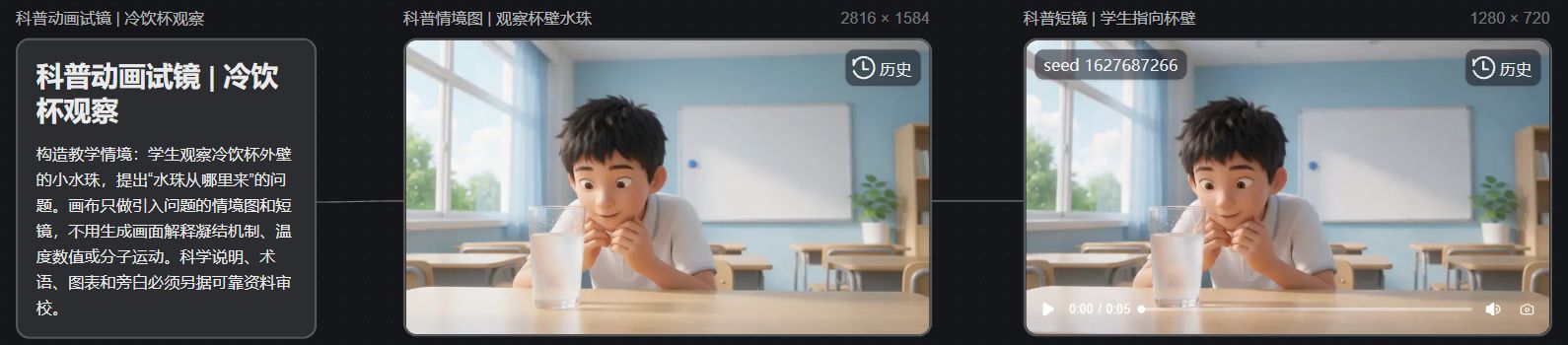
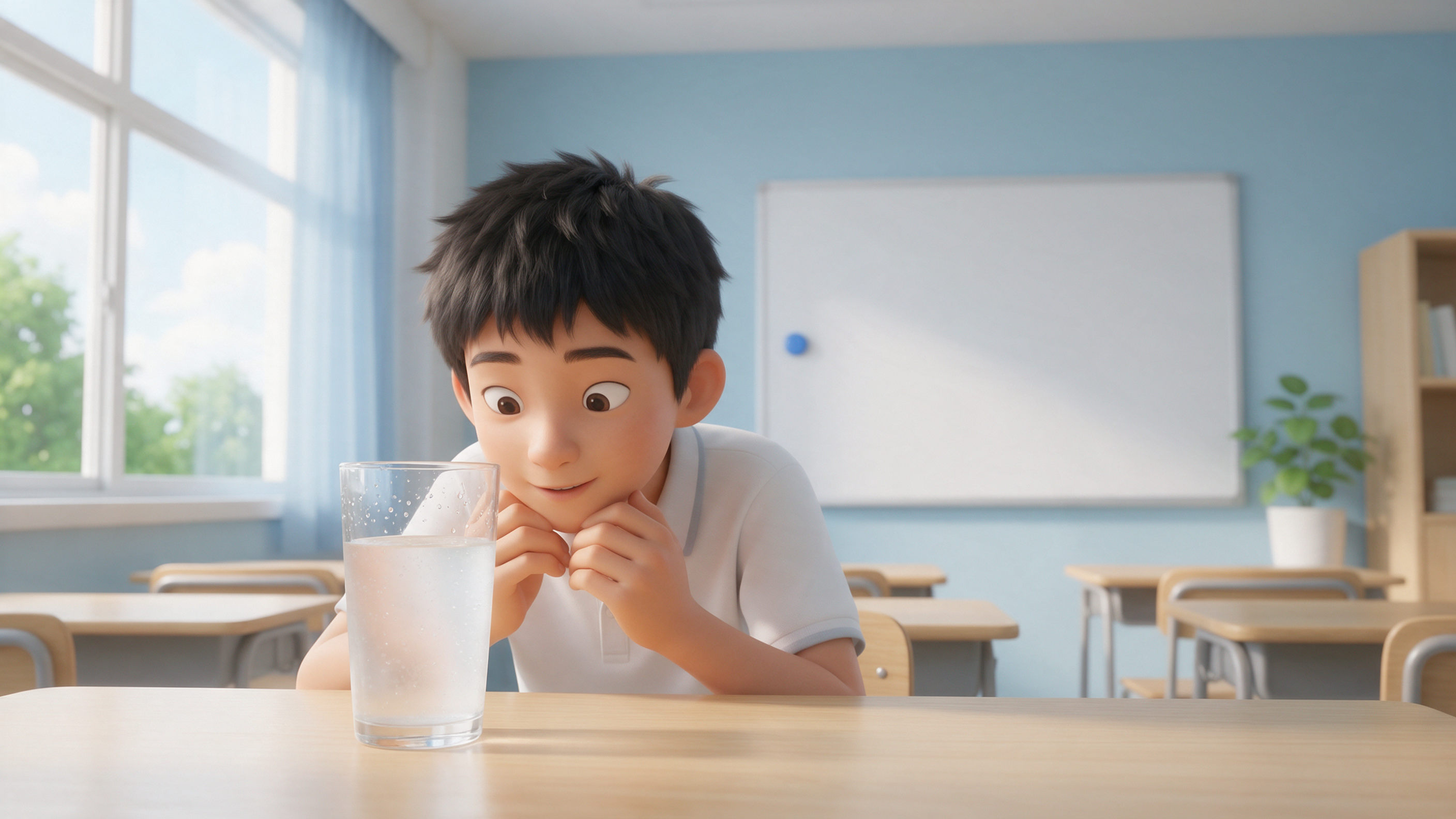
The canvas makes the student, the transparent cold drink cup, and the classroom environment recognizable, which is suitable for introducing an observational question; the droplets on the cup wall are not clear at the current display size, so you cannot claim the condensation process has been accurately depicted based on this alone.
Scope of verification: This short shot does not explain evaporation, condensation, temperature, or numerical relationships, nor does it include voice-over or charts. Scientific conclusions still require reliable sources, professional review, and verifiable illustrative mechanisms; you cannot judge the correctness of the knowledge solely by the generated visuals. The images were generated with Seedream 5.0 Pro and the video with Seedance 2.0 Mini; the above points are pre-submission estimates, and actual charges are subject to platform records.
Choose Tools Based on 'How Precise It Needs to Be'
Visual task | Capabilities to prioritize | Issues to avoid |
|---|---|---|
Introduce concepts using character-driven stories | Character references, scene generation, shot organization | A lively story that delays addressing the question |
Show the sequence of a process | Step-by-step frames, single-shot editing, voice-over transitions | Incorrect order or adding intermediate steps out of thin air |
Present charts, formulas, and numerical values | Controllable data and graphics, text editable precisely | Coordinates, symbols, and labels warped by generation |
Demonstrate precise motion or experimental results | Evidence-based professional animation, simulation, or live-action | Mistaking visually plausible changes for real laws |
A science video can combine multiple methods. For example, use AI to produce explanatory characters and environments, use hand-drawn diagrams to explain relationships, and add precise text labels in post-production. Not every frame must be generated by the same model.
Before Starting, Prepare a 'What to Explain, Why, and How to Visualize' Table
First write down the question the audience should be able to answer after watching, then add the supporting evidence and the visual plan. Cramming many facts into a short clip does not mean you can explain all of them clearly; focusing on a single question makes narration and shot selection easier.
Script item | Details to specify |
|---|---|
Core question | What exactly does this piece explain? |
Core conclusion | Answer in one sentence a general reader can understand |
Evidence | Specific sources in textbooks, research institutions, or other reliable materials |
Visual expression | Which elements are real-object depictions and which are simplified diagrams or metaphors |
Immutable details | Numerical values, directions, sequences, proportional relationships, proper nouns |
Personified characters can help explain abstract ideas, but metaphors need boundaries. If you enlarge proportions to show details, compress time for runtime reasons, or use color simply to distinguish categories, these choices should be explicitly noted. Otherwise the audience may remember the animation’s appearance but misunderstand the real mechanism.
Decide the Narration First, Then Break Information into Shots
Read the narration aloud first. Sentences with too many modifiers or long background setup are hard to follow. When a new concept appears, give the audience a moment to understand it; if terms haven’t been explained and multiple on-screen objects move at once, the information will crowd a single moment.
For each shot, specify: which object the audience should focus on, what change occurs to that object, and which line of narration corresponds to that change. When comparison is needed, keep the items to be compared in the same frame; when explaining steps, let the result of the previous step naturally lead into the next.
Below is a general example of how to write prompts; it does not correspond to any specific scientific conclusion:
Preserve the provided schematic layout and the relative positions of the three object categories. The current shot highlights only the changes to the central object while keeping the background static. The frame will not automatically generate text labels; terms and arrows will be added in post-production according to the reviewed script.
Requirements written into the prompts still need to be checked item by item after generation. If a key relationship is depicted incorrectly, redo that shot or switch to a controllable graphic. Correct narration alone cannot cancel out a contradictory visual.
How Nadou Pro Can Be Integrated into Production
You can first organize the narration in the script space, then hand the reviewed scene breakdown to the subsequent visual production. Official documentation states that the script can connect to the workspace or be referenced on the canvas; such links solve production workflow issues but do not assume responsibility for scientific fact-checking. Script Space Guide
Pick a representative set of frames to test the style, then animate them. Save characters, key objects, and diagrams separately so you can change the background later without altering the knowledge core. Keep the narration text too, so pronunciation errors or awkward pauses can be fixed in text.
For text, numbers, arrows, and formulas that must be precise, prioritize graphics that can be edited individually or annotate them in post. When professional charts are required, prepare accurate artwork before production; it’s easier to control than fixing errors frame by frame after generation.
Science Animation Requires Two Different Rounds of Review
First, perform a content review: verify each line of narration and its corresponding visuals against original sources, and check whether labels, directions, sequences, and causal relationships are consistent. For historical topics, distinguish between evidence-based descriptions and creative reconstructions.
Second, run an understanding test: have someone unfamiliar with the script watch it and ask what they learned and which parts they didn’t understand. If they understand the narration but not the visuals, prioritize adjusting composition or dwell time; if the visuals and narration convey different meanings, correct the relationship first.
Finally, view the clip on the devices your audience will use: check whether text is legible, audio is audible, and the framing does not crop important information. Once a pilot episode’s style is finalized, it can be reused for a series, but fact-checking cannot be skipped—each new topic needs its own verification.