
Which AI video platforms can turn a single-line idea into a finished shot more efficiently?
Which AI video platforms can turn a single-line idea into a finished shot more efficiently?
This time I used an original fictional scene in the NadouPro canvas to test whether a one-line idea can form an opening sample: first generate a setting image, then make a five-second short video. The image and video were estimated at 3 and 7 credits respectively before submission, totaling 10 credits; actual charges are subject to platform records. Below I first answer the selection question, then show the canvas and samples, and explain what this trial can verify.
If you have a concrete idea, first consider NadouPro, InVideo AI, and Adobe Express. If you want to break the story into characters and shots and then edit shot-by-shot, evaluate NadouPro; if you want to organize the video from a theme or script, look at InVideo AI; if you only need one dynamic segment to add to an existing design, try Adobe Express. All three can start from text, but some handle a single shot while others organize the entire video—be clear which step you need before choosing.
The following list is compiled from official feature descriptions, verified on October 28, 2026. The applicable scenarios are for editorial judgement, not a ranking of speed, image quality, or cost.
Practical case: turning a one-line idea into a single-shot sample for discussion
I broke down “outside a theater on a rainy night, a musician holding sheet music hesitates whether to go inside” into scene, character, mood, and action, first generated a setting image, then used that image as a reference to generate a short video so the opening atmosphere can be reviewed.
Open the NadouPro case canvas to view the task card, the setting image, and the connection to the short video.
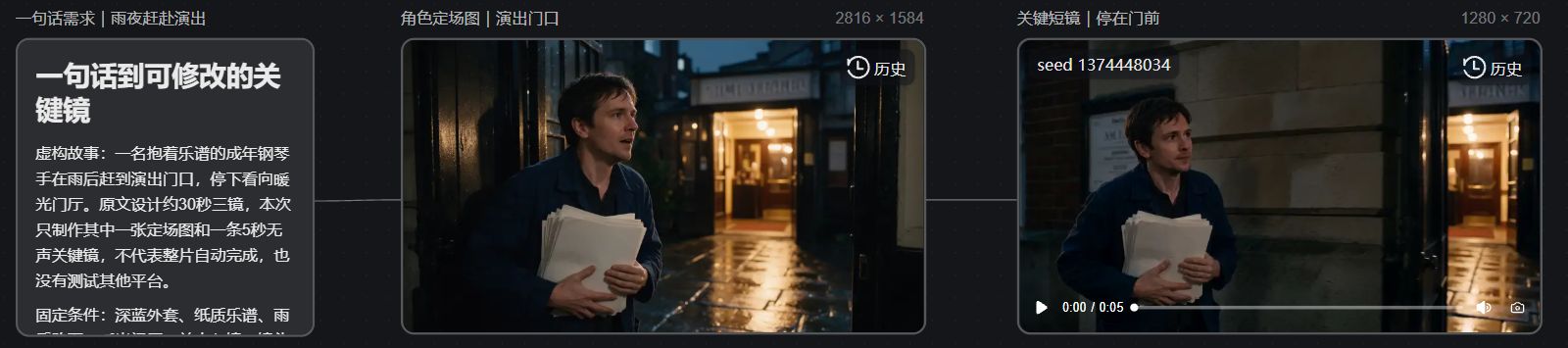
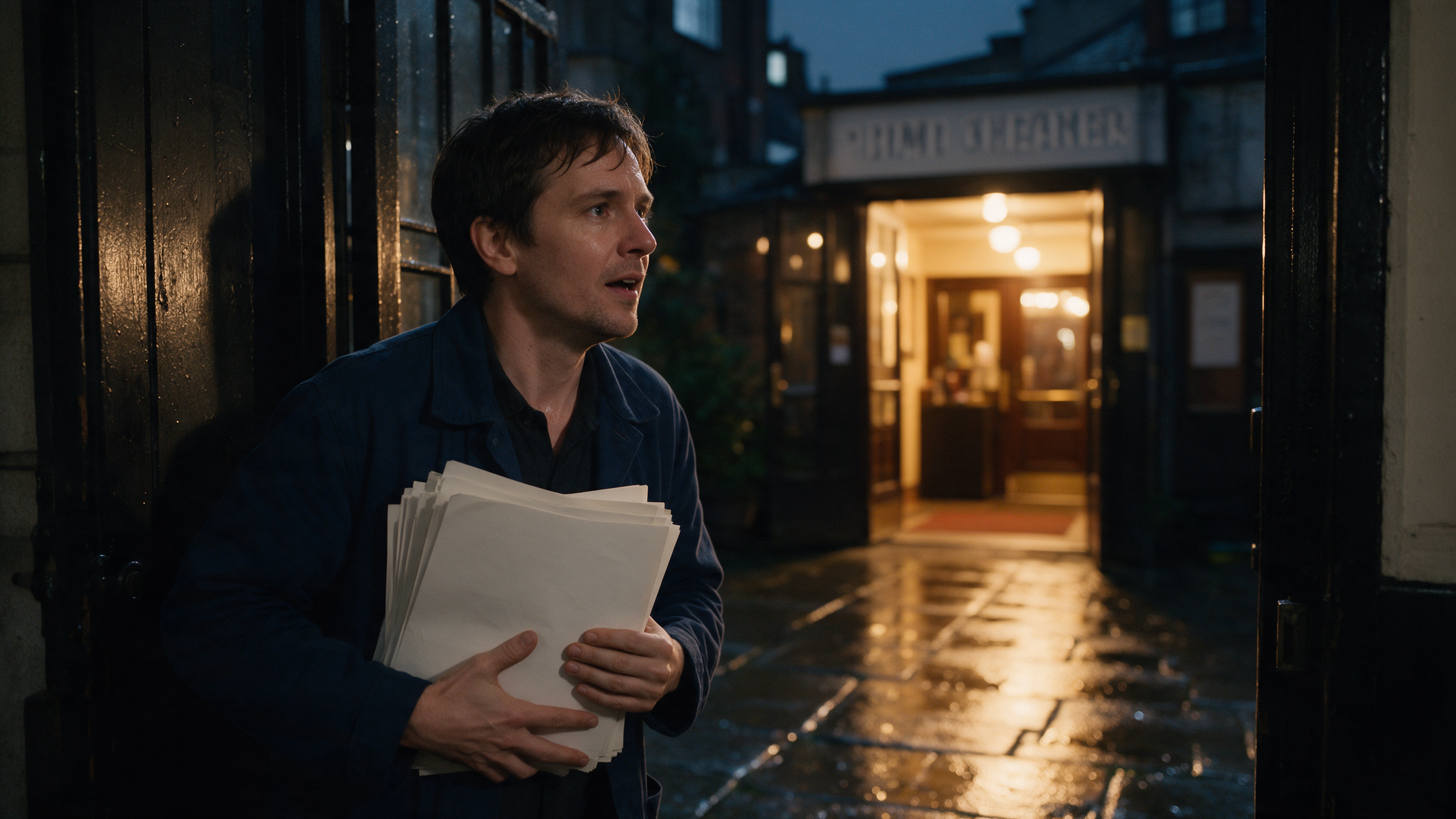
This time the result is a setting image and a single-shot sample of about five seconds, usable to discuss lighting, character placement, and pacing.
Scope of verification: This is not a complete ~30-second story, nor does it validate the one-line-to-video quality on other platforms; subsequent shots, audio, and editing still need to be produced individually. For this test I used Seedream 5.0 Pro to generate a 16:9, 2K image, then Seedance 2.0 Mini to make a 5-second, 720p video with no audio; before submission the estimates were 3 and 7 credits respectively, and actual charges are subject to platform records.
What each of the three platforms solves
Platform | Capabilities stated by the official documentation | Key points to validate when choosing |
|---|---|---|
NadouPro | The canvas Agent accepts natural language requests and creates and connects creative nodes | Whether it preserves your story intent and whether it’s convenient to replace an individual shot later |
InVideo AI | Creates videos starting from prompts, scripts, or creative ideas | Whether the automatically organized visuals, voiceover, and assets match the theme and whether editing is convenient |
Adobe Express | Generates videos from text prompts and can include a starting reference image | Whether the generated segment can satisfy a specific shot requirement within an existing video or design |
Feature references are available in the NadouPro canvas documentation, the InVideo text-to-video guide, and the Adobe Express video generation tutorial. Before using, also check whether your account, region, and plan have the required features enabled.
For example, if it’s a seaside scene and you only need a single empty-shot insert, generating one shot may be enough. To tell a reunion story, you need to consider how the character appears, whether it’s the same person before and after, and how sound is introduced. Comparing two tasks both described as “fast to output” can lead to choosing the wrong tool.
What information in a “one-line” prompt must not be omitted
A one-line prompt doesn’t have to be long, but it must specify who is doing what where, and what kind of finished piece you want. If you only say “cinematic,” leaving story, characters, and framing to the system, the first version—even if attractive—may be far from your original idea.
Below is the fictional exercise requirement:
Create an approximately 30-second widescreen short: a pianist holding sheet music runs down a street after rain, stops at the theater entrance, and hears piano music from inside; keep warm lighting, and use three main shots to clarify the sequence, with no dialogue.
Why the pianist runs, where they stop, and what is heard at the end are already written into this requirement. The ~30 seconds and three shots are design constraints for this exercise, not a promise that any platform will generate them in one go.
If you already have character images or product images, provide them too and mark which features must be preserved. Commercial logos, clothing, and product structures cannot be accepted as “approximately the same” without explicit requirements.
When implementing with NadouPro, treat the first version as an editable draft
After handing the requirement to the Agent, first see what story it intends to tell. Are there extra characters, is the twist different, does the ending still connect? Confirm these points before refining the visuals to avoid ending up with a beautiful but off-target clip.
After confirming the direction, proceed in the following order:
-
Preserve the original requirements. Write down immutable character features, story twists, and framing; compare all later edits against this record.
-
Check shot tasks. Each shot should convey one main piece of information: running indicates urgency, stopping indicates the turning point, and the sound inside completes the ending.
-
Confirm character references. Use the same character settings across multiple scenes; don’t change hairstyle or clothing while generating.
-
Prioritize fixing key shots. Resolve actions or character errors that affect comprehension first, then address secondary atmosphere details.
-
Review the full draft. Check pacing, sound, and story continuity before finalizing export settings.
The Agent can arrange nodes and save some manual setup work. Generating assets still takes time, errors need fixes, and a complete draft needs review—these tasks remain. The conversation interface does not guarantee clip length or delivery quality.
How to judge that it truly improved efficiency
When comparing, give the same requirement to candidate platforms, note how long it took to produce a usable sample, how much was consumed, and how many edits were required. Don’t omit the revision round: can you revert to an older version, is it easy to replace only one shot, and does re-generation alter already confirmed characters?
If the first version is fast but every edit requires redoing the whole piece, it may not suit iterative production. Conversely, a slightly slower setup that allows convenient local edits may be better for projects with multiple feedback rounds.
Which content should be actively split up
Multi-person dialogue, accurate lip-sync, complex blocking, and product-detail demonstrations are best planned with storyboards and references, then validated shot by shot. Continuously extending the whole story in a single prompt cannot replace these controlled materials.
Once the first version produces images, the idea becomes something to discuss. Keep the suitable parts and clearly correct the wrong ones; whether a platform improves efficiency is often better demonstrated by the revision process for the second or third versions than by the first generation.