How to Produce Real Estate Promotional Videos with AI: From Selling Points to Final Cut
How to Produce Real Estate Promotional Videos with AI: From Selling Points to Final Cut
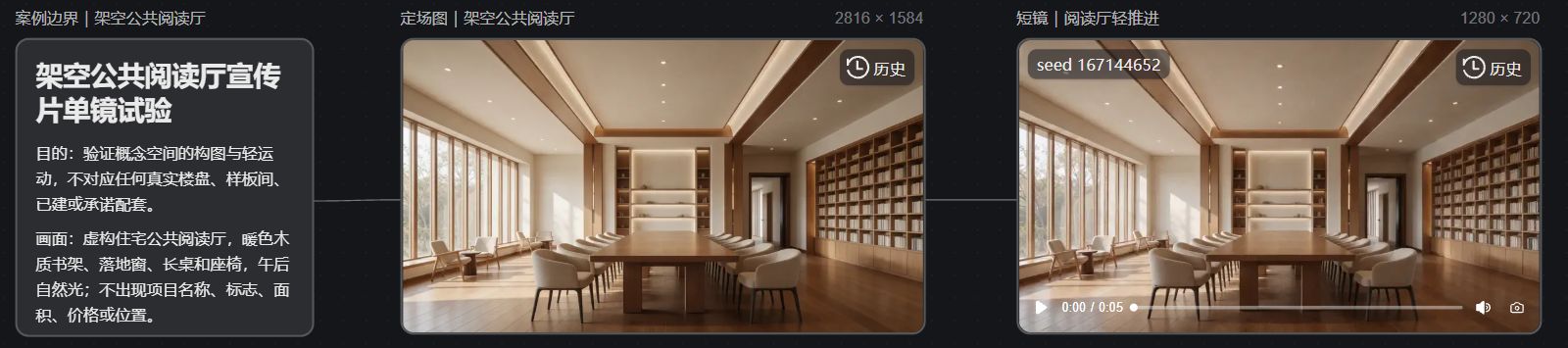
I conducted a single-shot experiment of a conceptual public reading room in 纳逗Pro: the plan was to use one 2K 定场图 and an approximately 5-second silent clip. Before submission the estimated costs were 3 and 7 积分 respectively, totaling an expected 10 积分, to check the composition and motion of the conceptual space. When producing real estate promotional videos, AI can help write scripts, lay out storyboards, and test creative shots, then edit them together with on-site footage and approved renderings. Before starting, identify the project materials that correspond to each selling point: floor plans, building exteriors, amenities, and surrounding environment all affect a buyer's decision; missing materials should not be left to the model to invent.
Turn Selling Points into Shots Supported by Materials
Terms like “quality living” and “ideal residence” read well in copy but can easily become a set of generic pretty images on screen. Instead, first decide what this piece will actually talk about: introduce public spaces, explain unit layouts, or showcase a particular delivery detail. Once the content is clear, you can determine what to shoot and which materials to use.
Before production, prepare an asset sheet recording the source of each image, shooting date, version, and permitted usage.
Content to Convey | Preferred Materials | Points to Verify |
|---|---|---|
Architecture and Landscaping | On-site photos of the relevant building, approved renderings | Whether it belongs to this project; whether it reflects the current status |
Interior Spaces | Corresponding floor plans, showflat/on-site model room photos | Whether what is shown as decoration is clearly distinguished from actual delivered content |
Surrounding Environment | Verifiable maps and on-site materials | Whether the location, facility conditions, and descriptions are consistent |
Living Atmosphere | Licensed lifestyle footage or generated shots | Whether it could be mistaken for actual amenities or real landscapes |
Renderings, on-site photos, and generated concept images should be labeled separately. Even when merely creating an atmosphere, do not add a non-existent swimming pool to the project, or replace an ordinary window view with a lakeside scene.
Set the Script First, Then Create Static Storyboards
Using a 30-second public space introduction as an example, you can arrange sections for the entrance, public areas, details, and end credits. This only demonstrates how to organize content and does not imply that any given project actually has these spaces; actual shots must be determined by project materials.
For each shot, specify the image, voiceover, source, and characteristics that must be preserved. If the voiceover mentions the "lobby," the footage should correspond to the correct lobby; unverified areas, distances and construction statuses should be removed from the script—generated footage cannot be used to substantiate them.
In 纳逗Pro, you can organize this type of content using the workspace workflow of “script—subject—storyboard—production.” It provides the production steps; specific project information still needs to be entered and verified by the production team. NadouPro Workspace Guide
Generate video only after static storyboards are approved. First check architectural outlines, window frames, furniture layout and text labels; if something doesn't match, return to the assets or composition step to revise. Reference images can constrain creative direction but cannot guarantee the model will reproduce the architecture everywhere.
Start Dynamic Shots with Small-Scale Tests
Pick one shot that truly requires AI to make a sample, for example testing a slow push using an approved concept image. In prompts, specify the subject, motion, and elements that must be preserved; avoid including conflicting actions. Requiring the model "not change the structure" is only an input instruction—results must still be verified frame by frame.
A still frame may resemble the original image, but motion can introduce shifted doors and windows or altered spatial proportions. In such cases, reduce the motion range, use segments that remain accurate, or revert to on-site footage if necessary. No matter how attractive a transition is, it's not worth keeping incorrect project imagery.
Check Information Consistency Again During Editing
Place the approved footage on the timeline and adjust voiceover, subtitles, and music. Project names, addresses and other text are best typeset separately in postproduction to avoid using distorted text from generated footage. Check both landscape and portrait versions separately; cropping may hide necessary labels or make spaces appear different from the originals.
Before delivery, have someone familiar with the project review the final video against the documentation. Verify whether the spaces mentioned in the voiceover have corresponding materials, whether showcased effects are labeled correctly, and whether any statement has been exaggerated — all should be checked at this stage. Keep records of the asset versions and confirmation logs so future changes to price, campaign information, or replacement shots can be traced.
Real Canvas Case: Single-Shot Test of a Conceptual Reading Room
In the 纳逗Pro案例画布 I linked boundary notes, the 定场图, and the short video node. The reading room is a fictional conceptual space in this article and does not indicate that any real project has such amenities, nor can it substitute for project renderings or delivery documentation. The sample only validates the spatial visual direction, not the factual attributes of the project.
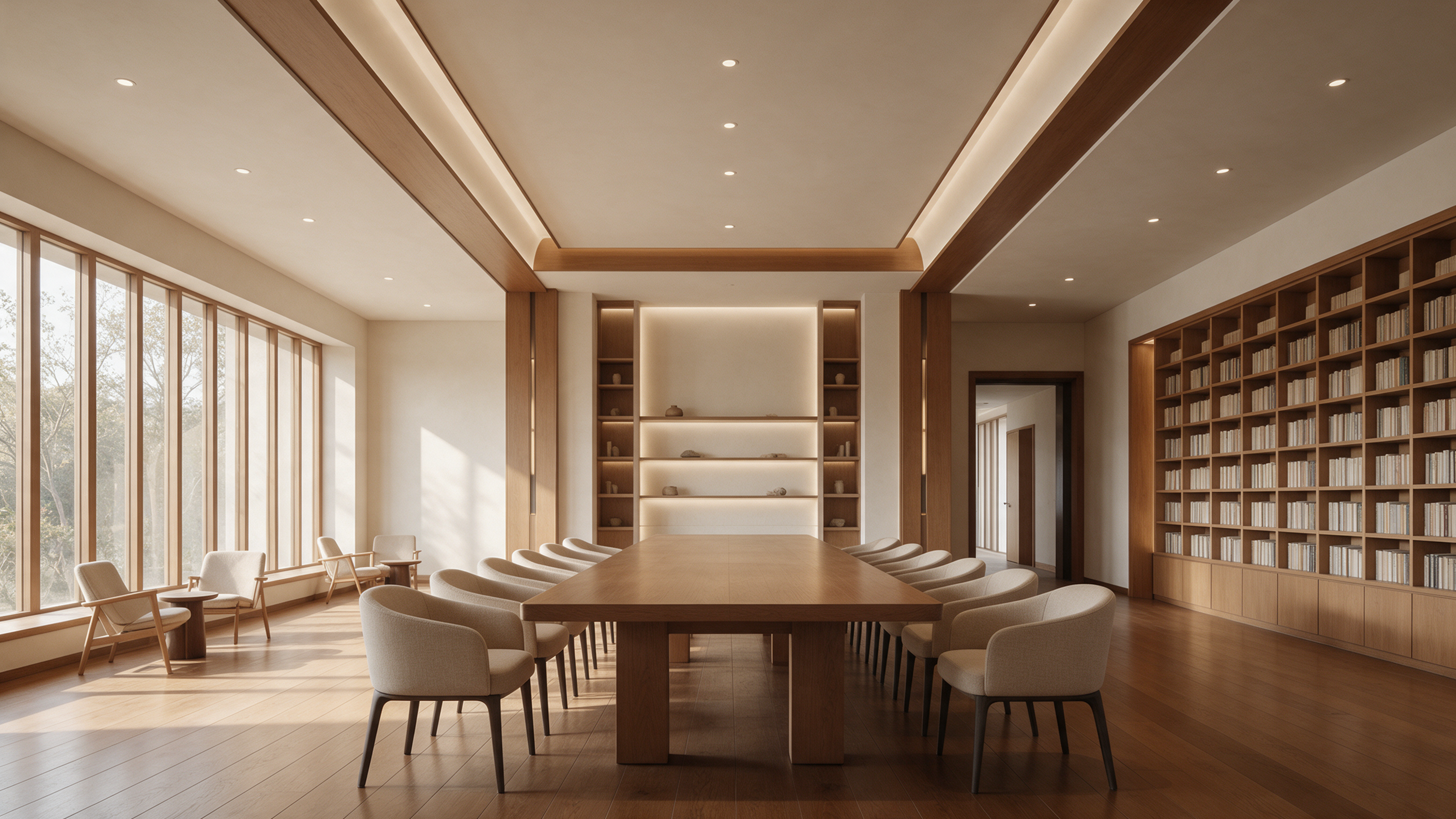
The establishing still generated by Seedream 5.0 Pro is actually 2816×1584. The image shows a floor-to-ceiling window on the left, a long central table, seating on both sides, and a bookshelf on the right; the space is bright. It is a conceptual image of a fictitious space and does not serve as proof of an on-site project.
Using that image as a visual reference, Seedance 2.0 Mini generated a 1280×720, approximately 5-second silent clip. In the web page's first frame, the left window, long table, seating and right bookshelf are still visible and the layout is close to the establishing still. Similarity in the first frame of a single-shot sequence does not mean the entire segment is structurally stable; the building form, area, facilities and delivery status of a real project should still be checked line by line against approved materials.
The image below is a screenshot of the real canvas page for this case; boundary notes, the establishing still, and the short video node can be checked on the same canvas.