
How to Make an MV with AI: Using 纳逗Pro to Go from Song to Finished Video
How to Make an MV with AI: Using 纳逗Pro to Go from Song to Finished Video
I created a silent MV visual screen test on the 纳逗Pro canvas titled “Reading a Letter on a Rooftop After the Rain”: first generating an establishing still, then using it as reference to generate an approximately 5-second single-shot clip. The two submissions were estimated at 3 积分 and 7 积分 respectively, totaling an expected 10 积分. This sample only verifies visual continuity and light motion; no song was input, and it does not imply that beat-matching, lip-sync, or a full MV have been completed.
Short answer: To make an MV with AI, you should first lock down the song version and mark the lyric sections, accents, and pauses; then determine the characters and visual references, generate short clips shot by shot, and finally edit on the song timeline, checking audio–visual sync and exporting. Acceptance criteria differ for narrative shots, singing close-ups, and lyric subtitles. Producing a single attractive frame is not enough to prove that the rhythm, lip-sync, or copyright issues for the entire song have been resolved.
First, turn the song into an actionable timeline
Decide on the song version first. If the intro length or tempo changes, existing cut points may all need to be rearranged. Listen at least twice: on the first pass note the start and end times of verses, choruses, bridges, and endings; on the second pass mark accents, pauses, and emotional shifts. If you don't know the BPM, you can still start from these audible changes.
Below is a storyboard example for a fictional chorus of about 30 seconds; it is not the number of shots completed in this canvas nor a platform time limit. During production, replace terms like "chorus start" with the exact timecodes of the song you are using.
Musical position | Shot task | Acceptance criteria |
|---|---|---|
Chorus start | Rooftop wide shot establishing the characters and the city | Positioning and light direction are clear |
Emotional rise | Medium shot: stops walking, looks down at the letter | Continuity of character, coat, and letter |
Key lyric | Close-up of face or letter | Emotion corresponds to the lyrics; do not force literal word-for-word illustration |
Sustained ending note | Back shot or city cutaway | Sufficient dwell time on the frame |
Assign only one primary action per shot; it's easier to generate and revise than cramming running, turning, hugging, and crying into a few seconds. Cuts should serve accents, completed actions, or emotional changes; you don't need to cut on every beat.
Turn abstract emotions into visible shots
“Rainy night, cinematic, lonely” only describes the mood; you should also specify character position, action, shot scale, camera position, and end state. For example: on a rooftop after rain, an adult wearing a dark long coat stands inside the railing, looking down at a letter; a medium shot from a fixed camera, the distance shows bluish-gray dusk and warm window lights, and the character does not speak. Such descriptions make it easier to check whether the letter, clothing, and background remain stable.
First choose reference images that represent the character and scene, note hairstyle, clothing, props, dominant colors, and light direction, then create key stills. Arrange the stills in playback order and confirm they read as the same piece before making the motion shots. Reference images help communicate the goal but cannot guarantee perfect cross-shot consistency.
Real canvas case: Silent visual screen test — Rooftop After the Rain
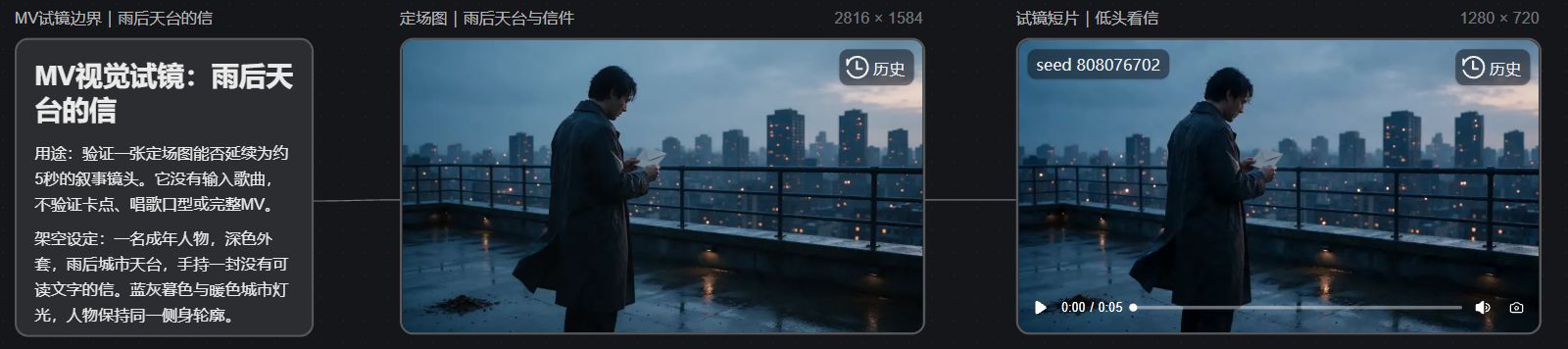
This case was created by me for this article and did not use a real song, artist likenesses, or existing MV footage. On the 纳逗Pro案例画布 I connected “screen test boundary description → rooftop establishing still → looking-down-at-letter short clip” into a three-node workflow. The 纳逗Pro官方媒体生成说明 can be used to cross-check the platform's current video capabilities; the specific model inputs and specifications are subject to the actual submissions and receipts in this instance.
The establishing still was generated with Seedream 5.0 Pro at a resolution of 2816×1584. The frame contains only one person in a dark long coat, shown in profile standing inside the railing and looking down at a letter; the wet ground after the rain, bluish-gray city, and a few warm lights provide clear spatial and color references. This scene was chosen to first check the relationship between the character, coat, letter, and post-rain lighting, not to simulate singing.
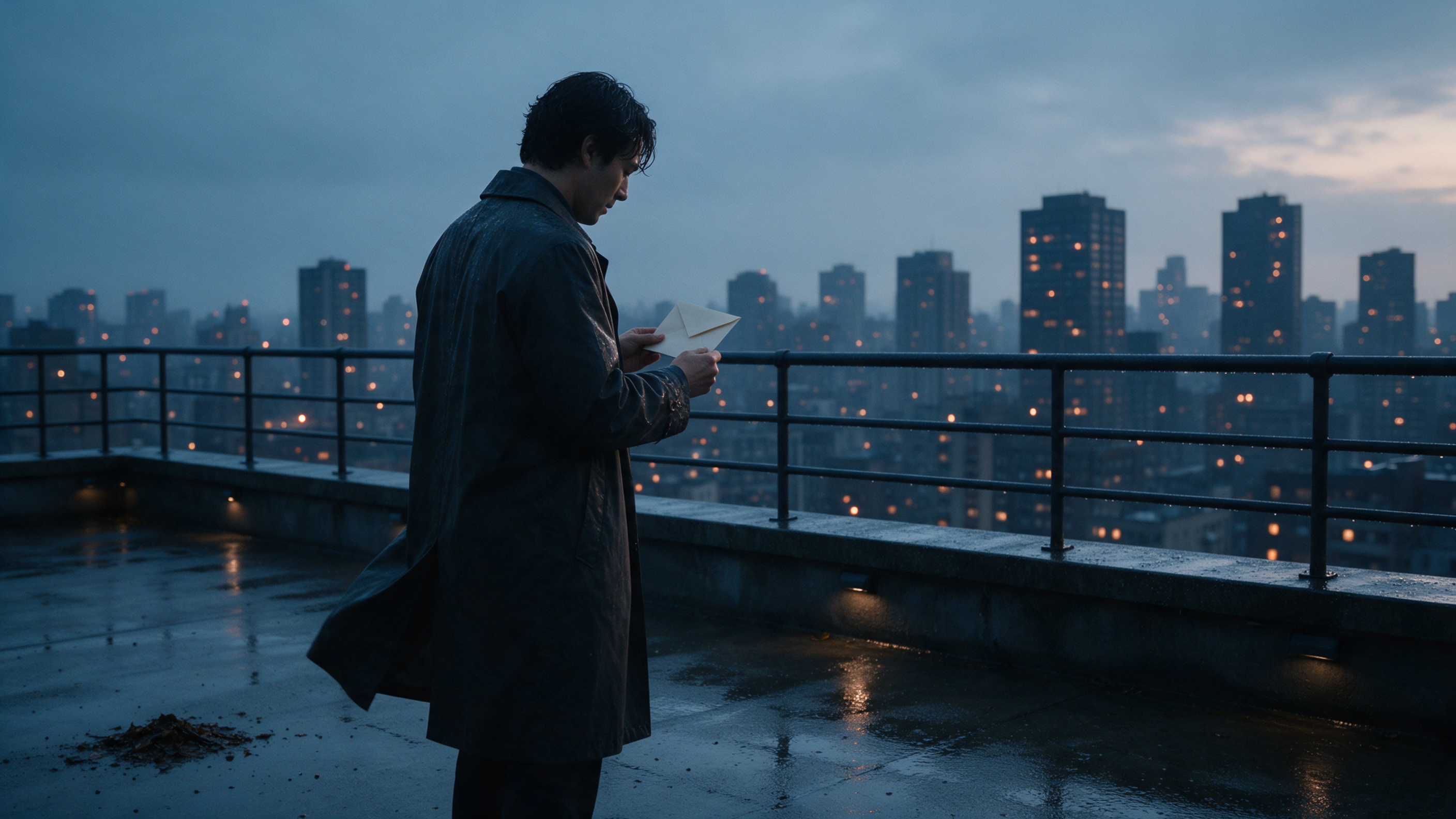
Then, using this image as reference, I used Seedance 2.0 Mini to generate a single-shot video at 1280×720, about 5 seconds long, with no audio. Visually online you can see the person, the letter, the railing, and the city lights remain in the same space; the coat has slight movement and the shot has no cuts. This sample can only verify continuity from still to short shot; without a song timeline it cannot demonstrate accurate beat-matching or lip-sync with lyrics.
The image below is a screenshot of this real canvas webpage, allowing you to view the description, establishing still, short clip, and connecting lines on the same screen.
Beat-matching, lip-sync, and editing are the next steps
Beat-matching: Place the licensed, finalized version of the original track into the timeline, arrange cut points according to lyrics, accents, and emotional changes, then play the visuals together for a full review. Simply listening to the song does not reveal whether visual transitions are too early or too late. This sample has no song and cannot be treated as a beat-matching result.
Lip-sync: If singing close-ups are required, extract a short phrase from the original track and confirm whether the chosen feature supports using the original audio to drive lip-sync; then check whether the actual phonemes, rhythm, and singing style match. Slight lip movement does not equal accurate lip-sync; if it fails, consider using narrative shots that avoid front-facing mouth shots, or follow a dedicated lip-sync processing workflow.
Final cut: Continue generating the required shots and compare characters, hands, props, backgrounds, and joins on the editing timeline. Lyrics subtitles need separate proofreading for text and timing, and ensure the original track is not obscured by sounds from generated assets. The song, likenesses, and reference materials should also have appropriate usage licenses. Make one short section fully watchable on its own before expanding to the full song.