
How Can AI Generate Chinese-Style (Guofeng) Animated Videos? A Practical Workflow from Setup to Finished Footage
How Can AI Generate Chinese-Style (Guofeng) Animated Videos? A Practical Workflow from Setup to Finished Footage
I made an experimental audition on the NadouPro canvas titled “Ink-wash bamboo grove swordsman stops and looks up”: first generating a keyframe, then using it as the visual reference to generate a roughly 5-second single-shot clip. The estimated costs before the two submissions were 3 points and 7 points respectively, totaling about 10 points. This sample was only used to verify whether the character, bamboo hat, sword scabbard, and the bamboo grove art style could carry from a still frame into light motion; it is not a fully edited, sound-designed animation.
Direct answer: To create Chinese-style animated videos with AI, you can follow the sequence: "define the style and characters → write visible actions and break them into shots → select static references → generate and inspect shot by shot → edit, add sound, and review." If illustrations already exist, you can first try a reference-based video; if you only have a text story, first produce character and scene concept images. Generation tools help with auditioning, but whether character, costume, props, and space stay consistent in motion still requires manual, shot-by-shot verification.
Turn “Guofeng” into concrete visual agreements you can check
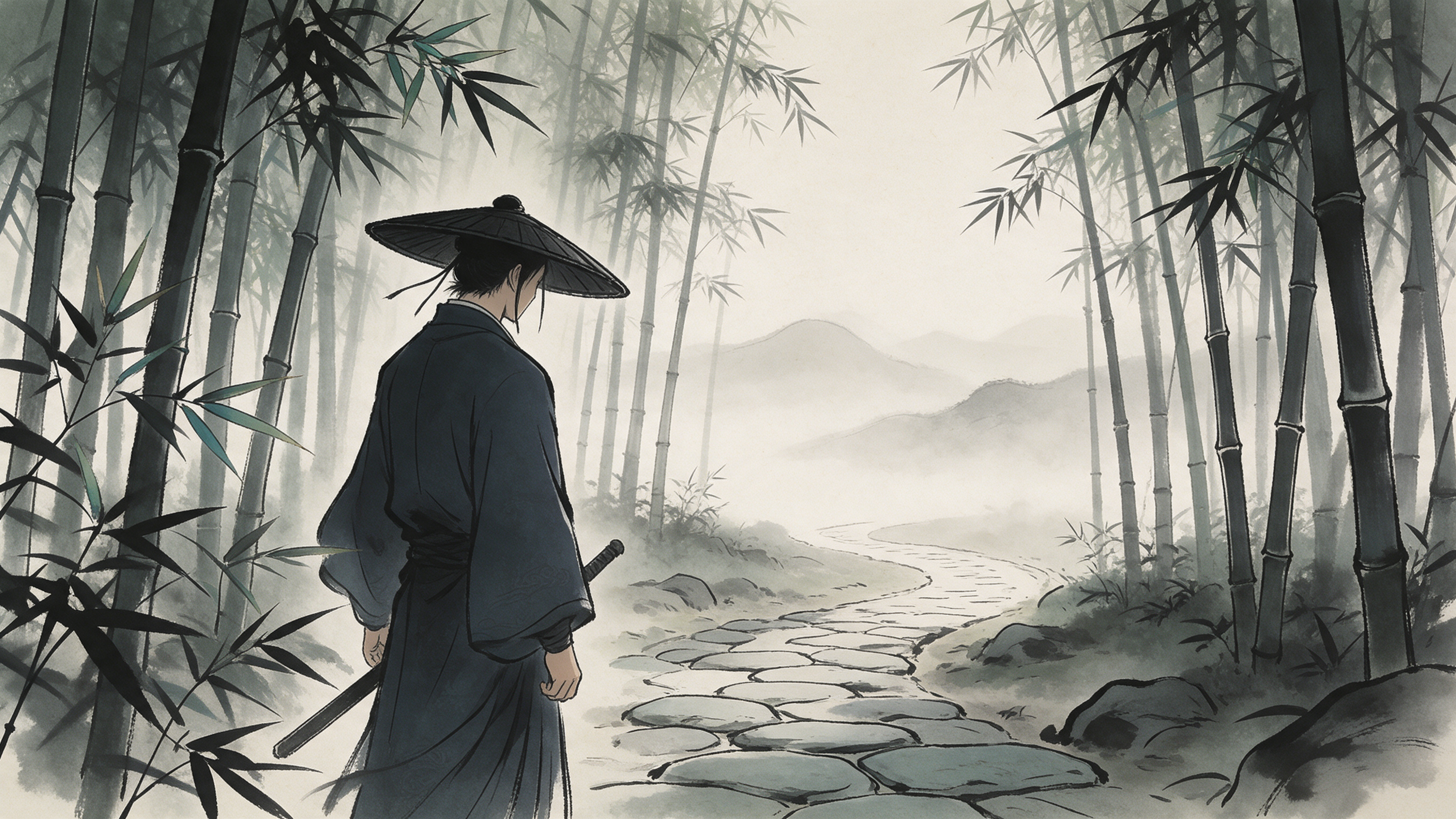
Ink-wash, gongbi, and qinglu landscape painting are not the same visual requirements. Choose a primary direction first, then specify line thickness, ink tone layers, color palette, proportions of negative space, and material boundaries. For example, this time I chose a light-ink bamboo grove with a little qinglu: the bamboo leaves are crisp lines, distant mountains and thin mist are left as negative space, and the character’s dark collar and the bamboo hat rim should remain distinguishable during motion. Such concrete agreements are easier to check than simply writing “high-end guofeng.”
The subject matter also needs to be specified separately. This is a fictional creative exercise not tied to any specific historical dynasty. If the task requires restoring the clothing, architecture, or artifacts of a particular period, consult traceable references and have them reviewed; generated images must not be treated as historical evidence. When using others’ reference works, be sure to confirm the material permissions and the intended project usage.
Break down the “visible actions” first, then decide how many shots you need
Only by breaking “the swordsman senses movement in the bamboo grove” into actions that can be filmed can you easily write prompts and acceptance criteria: a wide shot explains the positions of the grove, path, and character; a medium shot shows the stopping and looking up; a close-up conveys the gaze or reaction; if necessary, follow with a turn. The number of shots should serve the narrative information, not be filled mechanically based on video length.
Shot task | Main information | Acceptance points |
|---|---|---|
Bamboo grove keyframe | Positions of the character, stone path, and bamboo grove | Art style, bamboo hat, collar, and scabbard are clear |
Stop and look up | The character detects movement on the right side of the frame | Head and neck motion look natural; costume and background don’t jump |
Character reaction | Viewers understand what the character noticed | Gaze, framing, and continuity with the previous shot |
Turn or leave | Moves the action toward the next segment | Character orientation, sword position, and spatial continuity |
The real case below only completed the audition from “bamboo grove keyframe → single-shot stop-and-look-up.” The reaction close-up, the turn, and the shot connections remain part of the production plan; you should not conclude that a full scene is finished simply because a generated clip looks smooth.
Fix appearance with static references, then choose the video mode
First pick usable character styling and scene images, and record the bamboo hat silhouette, collar, scabbard, bamboo direction, and main colors. Reference images help express the target but cannot guarantee frame-by-frame identity in the video. Before formal generation, assign only one primary action per shot, and write down the framing, camera position, and details that should not change; if an action is too complex, split it into shots first.
The NadouPro Canvas Guide explains how text, image, and video nodes can be combined and linked; its Workspace Guide describes the organization from script and main elements to storyboards and production. If you already have a character image and only need to verify one shot, you can first use the canvas to audition; when the story involves multiple characters and shots, put the settings and version control in front. Before using start-end frame or multi-reference modes, still verify the current model’s actual input requirements—do not assume a particular model’s parameters apply universally.
Real canvas case: a single light-motion shot in an ink-wash bamboo grove
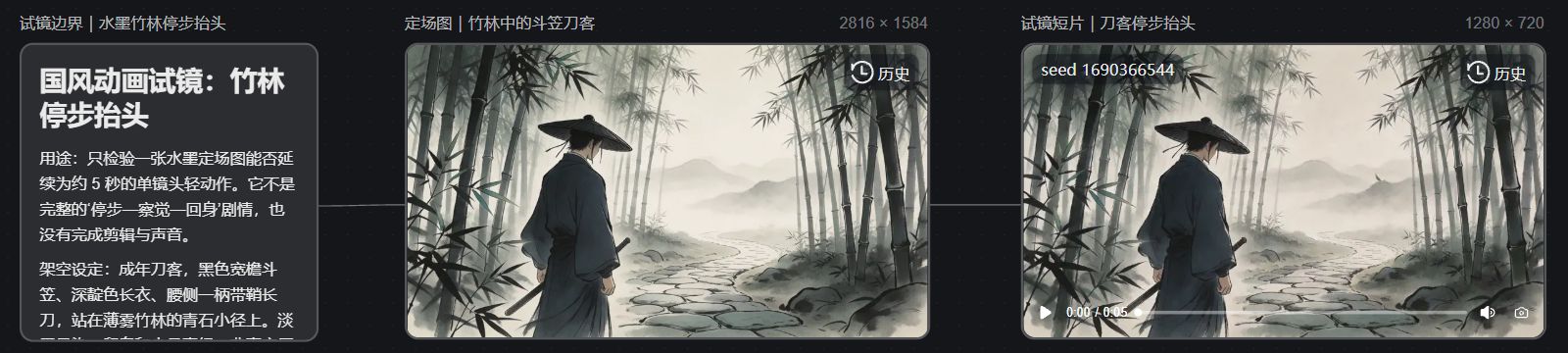
This sample was constructed by me for this article and does not correspond to existing film IP, real historical figures, or delivered projects. In the NadouPro case canvas, I connected three nodes in sequence: “audition boundary notes → bamboo grove keyframe → stop-and-look-up clip.” The notes card first limits the actions and acceptance scope to avoid treating a single-shot light motion as a complete plot.
The keyframe was generated by Seedream 5.0 Pro at an actual resolution of 2816×1584. The image contains only one adult wearing a wide-brim bamboo hat and a dark long robe, the sword at the waist remaining sheathed, standing on the left side of the stone path in the bamboo grove; the distance is treated with light-ink negative space and a bit of qinglu. The still frame provides a verifiable starting point for the hat, collar, scabbard, and character orientation.
Then, using this image as the sole visual reference, I generated a 1280×720, approximately 5-second, silent single-shot video with Seedance 2.0 Mini. Visually online, the character remains on the left side of the bamboo grove path; the broad outlines of the bamboo hat, dark long robe, scabbard, and distant light-ink mountain mist are largely continued, and the motion amplitude is small. This result supports only an initial judgment about broad outlines and light motion within the same shot; the hat rim, collar, scabbard, and bamboo leaf brushwork still require frame-by-frame inspection and do not imply multi-shot consistency is verified.
The panoramic image below was automatically captured from the real canvas webpage for this case, showing the notes, keyframe, clip nodes, and two connections on the same screen to make it easy to verify the production path of the case.
To move the audition toward a finished piece, three rounds of review are still needed
Style and character: Compare the reference image frame by frame to see whether brushwork suddenly becomes photorealistic, whether the bamboo hat and collar change shape, and whether the sword remains on the same side and sheathed. A pleasing still frame does not substitute for this round of checks.
Action and narrative: Confirm that viewers understand why the character stopped and looked up; if you also intend to show “detect—turn,” you need separate reaction and turn shots and must recheck gaze, positions, and edits. When complex actions are repeatedly unstable, reduce the motion, retain key stills, and let editing establish the rhythm.
Sound and delivery: This audition has no wind, rustling bamboo, dialogue, music, or subtitles, nor has it been edited into a sequence. The finished work should be edited in shot order, give each image sufficient viewing time, and then check sound, subtitles, material licenses, and publishing specifications. The final single run-through should judge whether the audience can read the story information—not by how many prompts were written.