
How to Choose AI Tools for Game CG: Recommended Paths for Cutscenes and Trailers
How to Choose AI Tools for Game CG: Recommended Paths for Cutscenes and Trailers
I made a short "Fictional Ruins Concept Teaser" sample for this article in Nadou Pro: first generate a keyframe image, then use that image to produce a roughly 5-second single-shot clip. The two submissions were estimated at 3 credits and 7 credits respectively, for an expected total of 10 credits. This case is used to examine the continuity from a style image to a video shot; it does not represent an existing game, playable footage, or editable engine assets.
Short answer: If the deliverable is a concept teaser or prerendered promotional video intended for viewing, you can prototype shots with AI image and video generation tools; if the cutscene must run inside the game engine with characters, cameras, and events, the workflow should center on engine tools such as Unreal Engine Sequencer. Before choosing tools, clarify whether the deliverable is an MP4, editable shot footage, or scenes/animations/events that can be modified and triggered inside the engine. A generated video will not automatically become the latter two.
Pick the path by deliverable, not just by image quality
Goal | Prioritize | First-round acceptance |
|---|---|---|
Concept teaser and style proposal | Reference images, storyboards, and AI short videos | Whether scene mood, character silhouettes, and camera direction hold up |
Prerendered promotional trailer | Generated assets combined with in-engine/3D rendering and post-editing | Whether promotional frames accurately correspond to confirmed game content |
In-engine cutscenes | Editable character animations, camera tracks, and event flows in the engine | Whether they can be correctly triggered and run on the target platform according to game state |
Multi-shot narrative videos | Script, main subject, storyboards, reference assets, and edit management | Whether adjacent shots can match characters, gear, space, and actions |
Epic's Sequencer official documentation describes timelines, tracks, keyframes, and character and camera animation, and also covers event-triggered production. It addresses editability and runtime concerns within engine projects. Videos output by generation platforms can serve as references or playback assets, but whether they are suitable for a project must be tested by the game team according to actual integration methods.
Lock down game design first, then test generation capabilities
Gather the characters, outfits, weapons, environments, and color references that are confirmed for this production, and list the details that must be preserved—for example which side the pauldron sits on, the emblem shape, equipment scale relative to character proportions. Each test clip should only validate a few specific items; "it generally looks like the game CG" cannot replace item-by-item verification.
Promotional content must also check factual boundaries. If generated frames add skills, maps, or interactions that do not exist in the game, they must not lead viewers to believe this is playable footage. Concept interpretations, prerendered CG, and actual in-game footage should be labeled separately. If using existing IP or external reference materials, the project team must confirm usage scope and licensing.
For multi-shot needs, Nadou Pro's Workspace Guide provides a structured workflow of "Script → Subject → Storyboard → Production"; the free canvas is suitable for linking notes, reference images, and video nodes for experimentation. First place the same character in two adjacent shots to check outfit, gear, and scene orientation before deciding whether to expand production.
Real canvas case: Fictional Ruins Concept Teaser
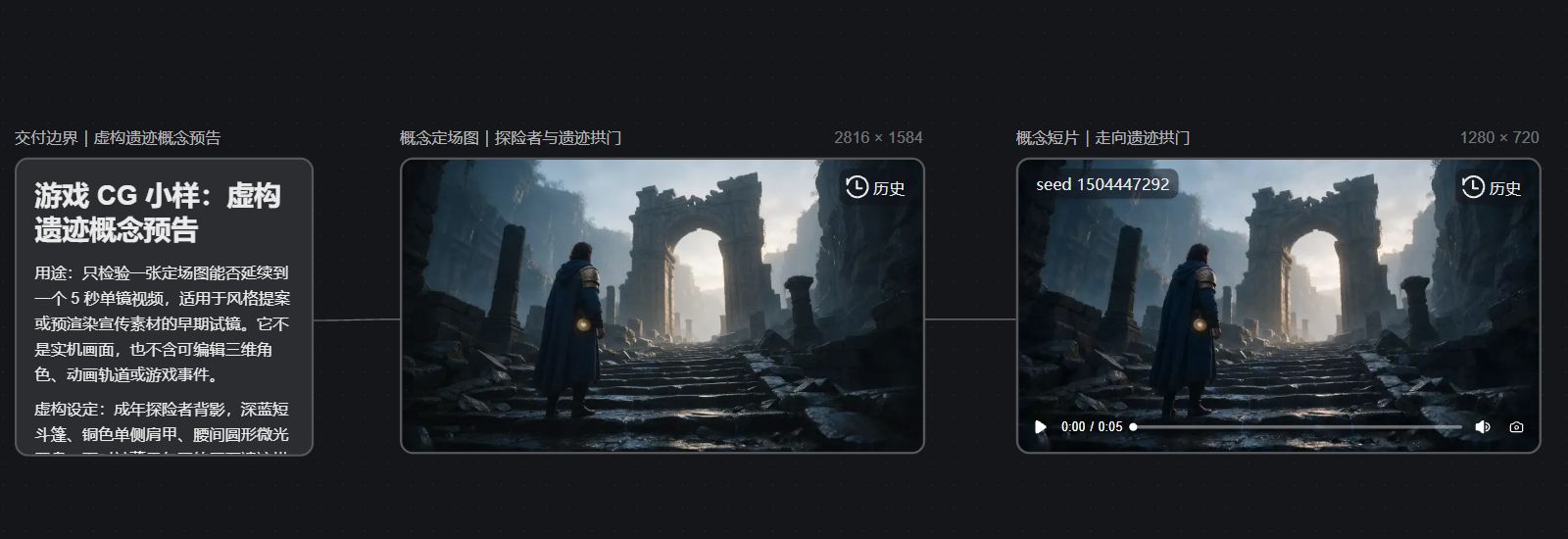
This sample is a fictional fantasy game scene I constructed for this article and does not correspond to an existing game IP, nor does it show in-game footage or playable levels. In the Nadou Pro example canvas, I connected three nodes: "Deliverable boundary note → Concept keyframe → Concept short clip." The note card limits the goal: only test whether a single image can be extended into a single-shot movement in the same scene, not as an in-engine cutscene or a multi-shot continuity test.
The keyframe was generated with Seedream 5.0 Pro at an actual size of 2816×1584. In the frame, an adventurer wearing a deep-blue cloak stands with their back to the camera on wet stone steps, looking toward a ruin archway; a copper one-sided pauldron and a faintly glowing circular waist prop are reference features that must be preserved in the subsequent short clip.
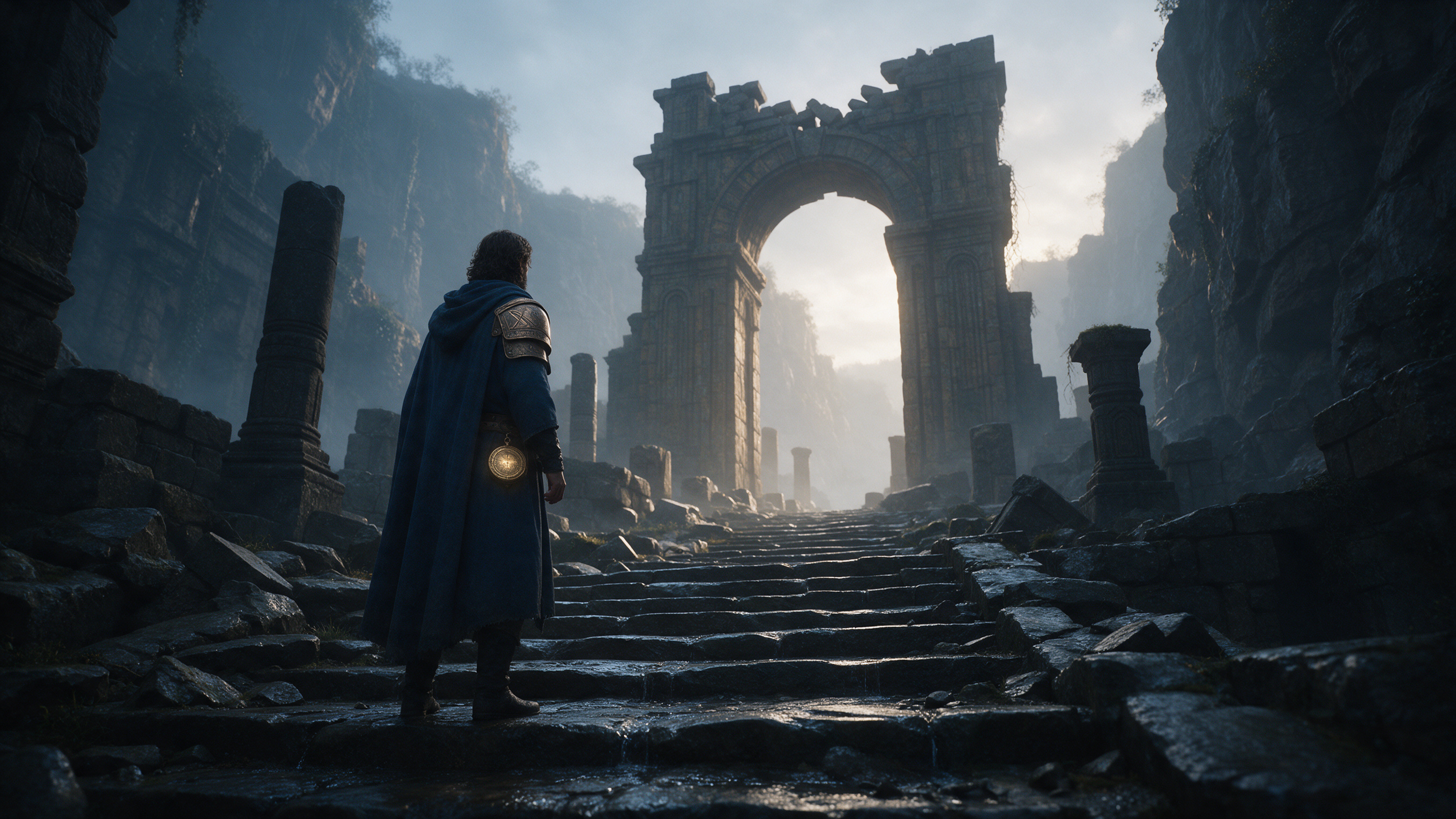
Using this image as the sole visual reference, I then generated a 1280×720, approximately 5.04-second, no-audio video with Seedance 2.0 Mini. On the web preview the character remains in the same ruin space, the camera slightly pushes in, and the cloak and gait show motion. This result demonstrates that the single-shot scene and large-scale character silhouettes can be carried over; localized props, costume details, and action specifics still require frame-by-frame review, and one should not claim that complex actions, multi-shot continuity, or engine assets have been accepted based on this alone.
The panoramic image below was automatically captured from the live canvas page for this real canvas; the deliverable note card, keyframe, video node, and two connecting lines are all visible, which makes it easy to return to the canvas to verify production order.
What additional checks are needed to turn a sample into a deliverable
Single-shot: Inspect frame-by-frame the character proportions, pauldron position, waist prop, archway orientation, and step geometry; when key details drift, document the issues and adjust the shot plan. A satisfactory first frame does not guarantee stability across the entire clip.
Multi-shot: Create adjacent shots and verify character appearance, which side props are on, gaze direction, and action connection points. The more complex the action, the more you should test entries, turns, interactions, and combat separately, then check edit continuity.
Audio and post: This short clip has no audio, subtitles, voiceover, or edits. A finished promotional trailer requires separate treatment for sound, opening and closing titles, subtitles, aspect ratio and delivery specifications, and verification of asset licenses.
Engine delivery: If the target is in-game realtime cutscenes, the project team must also create or integrate editable character and scene assets, animations, camera tracks, event triggers, and performance optimizations, and validate them on the target platform. The sample video in this article cannot replace those tasks.
Therefore, tool choice should target an acceptable deliverable: first validate style and continuity with the shortest sample, then continue production according to the actual requirements for a promotional video or an in-engine cutscene.