
How to make an AI documentary? Are there dedicated tools?
How to make an AI documentary? Are there dedicated tools?
This time I created a small scene reconstruction of a "fictional old train station" in the Nadou Pro canvas: first I generated a reference image, then used it to generate an approximately 5-second short clip. The estimated credits before submission for the two steps were 3 and 7 respectively, totaling an expected 10 credits; this sample is intended to illustrate where generated shots fit in the documentary workflow and cannot serve as historical footage.
Direct answer: AI documentaries still begin with topic selection, interviews, archives, and fact-checking. AI can help organize materials, draft scripts for verification, plan storyboards, and produce clearly labeled scene-reconstruction shots; editing, color grading, audio, and subtitles can be handled by existing post-production tools. No single piece of software can confirm historical facts for the producers. Nadou Pro is suitable for organizing generated materials; Premiere can assist with interview transcription; DaVinci Resolve can handle editing, color grading, and audio post-production; you do not need to look for a single tool whose name contains "documentary."
First establish the chain of evidence, then decide which shots need AI
Write clearly the questions the film must answer, and divide materials into interview raw records, archives, on-site footage, and leads to be investigated. Key names, dates, locations, and quotations in the script should be traceable back to specific materials; AI-generated summaries can only serve as drafts for verification. When materials are insufficient, prioritize conducting additional interviews, finding archives, or using existing on-site footage to explain — models should not "fill in" missing facts with photorealistic fabrications.
When making a short sample, you can proceed in this order: organize sources and authorization scopes; write the voiceover and shot list, and mark the source for each line; create scene reconstructions only for segments that cannot be filmed directly and that have explanatory value; finally, edit interviews, archives, on-site footage, and reenacted shots together, checking subtitles, voiceover, and visual cues line by line. When a generated image enters the timeline, there should be a clear note beside the shot indicating "scene reconstruction" so the audience does not have to guess the nature of the material.
Original records and scene reconstructions should not be placed at the same level of evidence
Material | Retained during production | Explanation to audience |
|---|---|---|
Interview audio and video | Original files, context, and permissions | Do not use synthetic voices to impersonate the interviewee's original speech |
Historical photos and archives | Source, date, and verifiable information | Restoration or generated completion does not equal the discovery of new historical evidence |
On-site footage | Filming time, location, and conditions | Post-production should not alter content relevant to factual judgments |
AI scene reconstruction | Basis, prompts, generation records, and review notes | Clearly label as "scene reconstruction" and do not treat realism as evidence |
For example, if the evidence only proves that a station once existed, you cannot use generated footage to infer the positions of benches, lighting, people's behaviors, or dialogue from that time. Models can portray one possible sense of the space, but producers must not present those details as established historical facts.
Which tools can be included in an AI documentary workflow
Nadou Pro: Allows you to connect notes, reference images, and short video nodes on a free canvas; its workspace is organized around "script → subject → storyboard → production" to support filmification workflows. It is responsible for creating and managing reenacted materials, not for verifying historical sources. See the Nadou Pro workspace guide.
Premiere: Speech-to-text can generate interview transcripts and draft subtitles, but names, dialects, technical terms, and sentence breaks still need to be corrected against the original audio. See Adobe Premiere speech-to-text documentation.
DaVinci Resolve: Can be used for editing, color grading, and audio post-production, bringing footage from different sources into the same timeline for rhythm and audio-visual checks. See the Blackmagic Design official overview. The combination of tools depends on the team's existing workflow, the scale of materials, and available features; there is no need to replace all post-production software just for an "AI documentary."
Real canvas case: a clearly labeled reenactment of a fictional old station
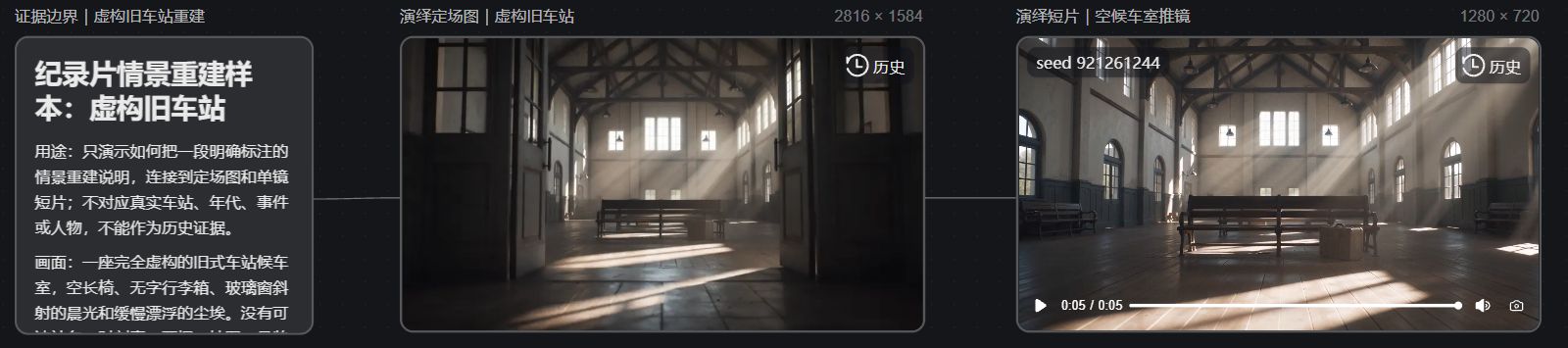
The sample in this case was a fictional scenario I constructed for this article and does not correspond to a real station, date, event, or person. In the Nadou Pro case canvas I connected three nodes: "evidence boundary note → reconstructed reference image → reconstructed short film." The note card first limits the use: the images only demonstrate shot design and are not historical evidence; prompts exclude readable station names, timetables, tickets, and real people.
The reference image was generated by Seedream 5.0 Pro, actual size 2816×1584. The image shows an empty waiting room, wooden benches, and morning light through tall windows; it provides spatial and lighting references for the video and does not imply that any real station looked like this.
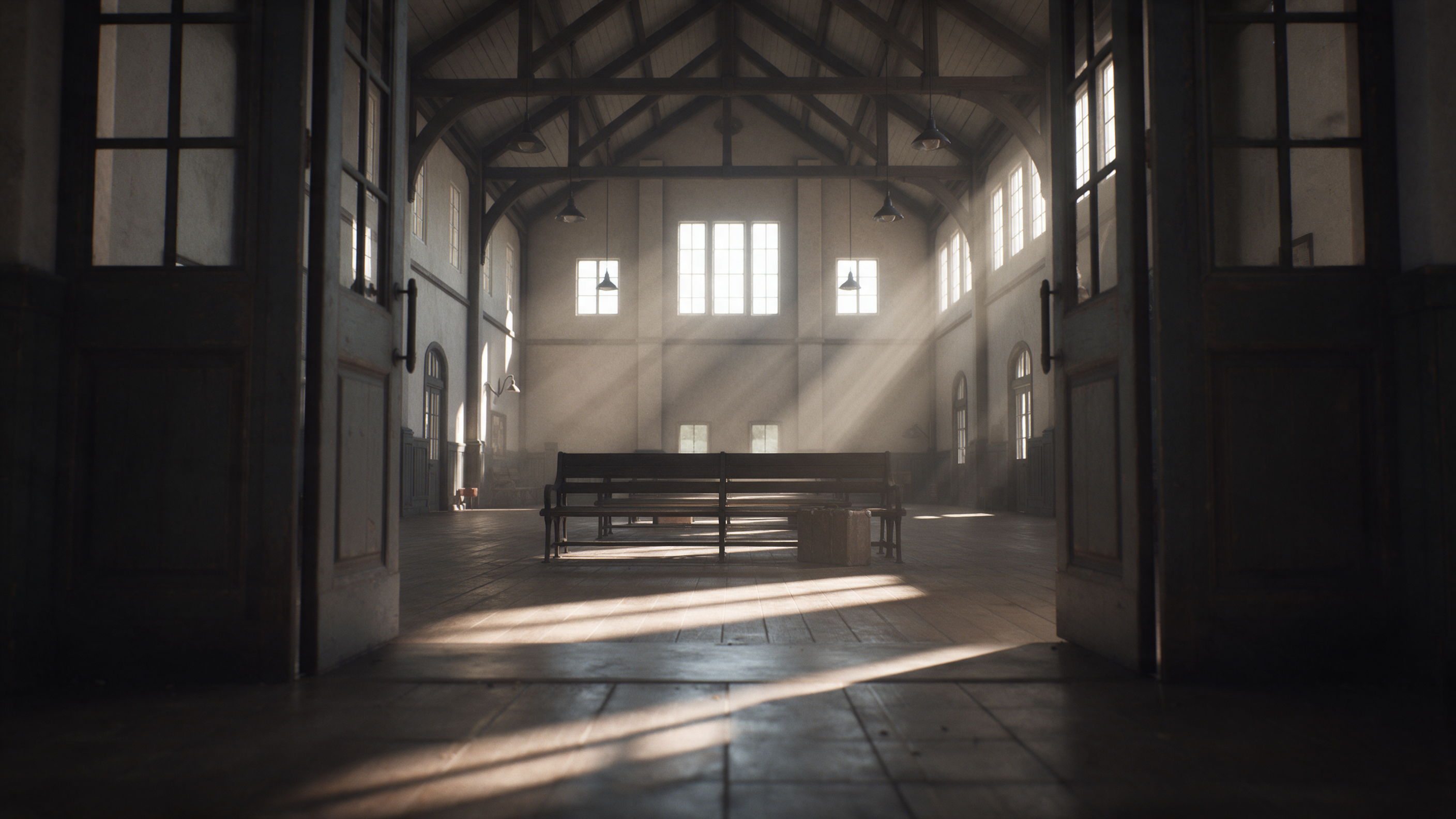
Then I used Seedance 2.0 Mini to generate a single-shot short clip referencing this image; it is actually 1280×720, approximately 5.04 seconds, and has no audio. The shot slowly moves from the entrance into the waiting room; the window light and benches are still discernible. The generation process may alter individual prop details, so this clip can only demonstrate the intended camera movement and cannot prove frame-by-frame accuracy of the scene, nor can it replace formal documentary fact-checking, editing, narration, and rights clearance.
The panorama of the canvas below was automatically captured from the real canvas webpage for this case. The text card, reference image, short video, and two connecting lines appear together in the shot, making it easy to verify that the case followed the sequence "note → image → video"; the screenshot itself similarly does not constitute historical evidence.
After the sample is completed, check this checklist
Facts: Can the voiceover, subtitles, names, and dates each be traced to a source? Are unsupported details removed or converted to explicitly uncertain statements?
Imagery: Can the audience easily distinguish interviews, archives, on-site footage, and scene reconstructions? Have generated shots' buildings, clothing, and props been mistakenly written up as factual?
Editing and sound: Does editing alter the interviewees' original intent? Do music or juxtaposed shots imply causal relationships that the materials do not support? Are synthetic voices and authorization scopes clearly labeled?
Archiving: Preserve original materials, permissions, sources, prompts, and modification records. If someone later asks "Where did this line or this image come from?", the producers should be able to locate the corresponding material rather than only answering "AI-generated."