
Can AI Automatically Write Screenplays? Which Tool Is Good
Can AI Automatically Write Screenplays? Which Tool Is Good
I manually wrote a shot assignment for a short play set in an old photo studio, and in the NadouPro canvas I filmed a 5-second silent shot of my daughter picking up a picture frame. The image and video were each estimated at 3 and 7 credits before submission, totaling 10 credits; actual charges are subject to the platform's records. This test did not call any AI automatic screenwriter, nor did it evaluate which tool writes scripts best.
AI can help draft outlines, character descriptions, beats, and dialogue, but after receiving a draft you still need to check why characters act as they do, whether the plot connects, and whether the scenes can be filmed. After writing, you also need to create storyboards or AI video; you can first try NadouPro's Script Space. If you already have a draft and mainly want to organize structure and delivery format, consider evaluating professional script-editing tools separately.
The following uses NadouPro as an example to discuss how to revise a draft to a state ready for production. No tool benchmark tests were performed; when choosing, you can validate using your own writing tasks.
Practical case: turning emotional description in a handwritten script into visible actions
The fictional setup is a father preparing to close the old photo studio, and his adult daughter wants to keep one last family portrait. The shot assignment requires the daughter to pick up the old frame on the table and then look off-frame toward the father. We used Seedream 5.0 Pro to generate a 16:9, 2K establishing still, then used Seedance 2.0 Mini to reference that image and generate a 5-second, 720p, silent short.
Open the NadouPro example canvas to check the task card, assets, and connections.
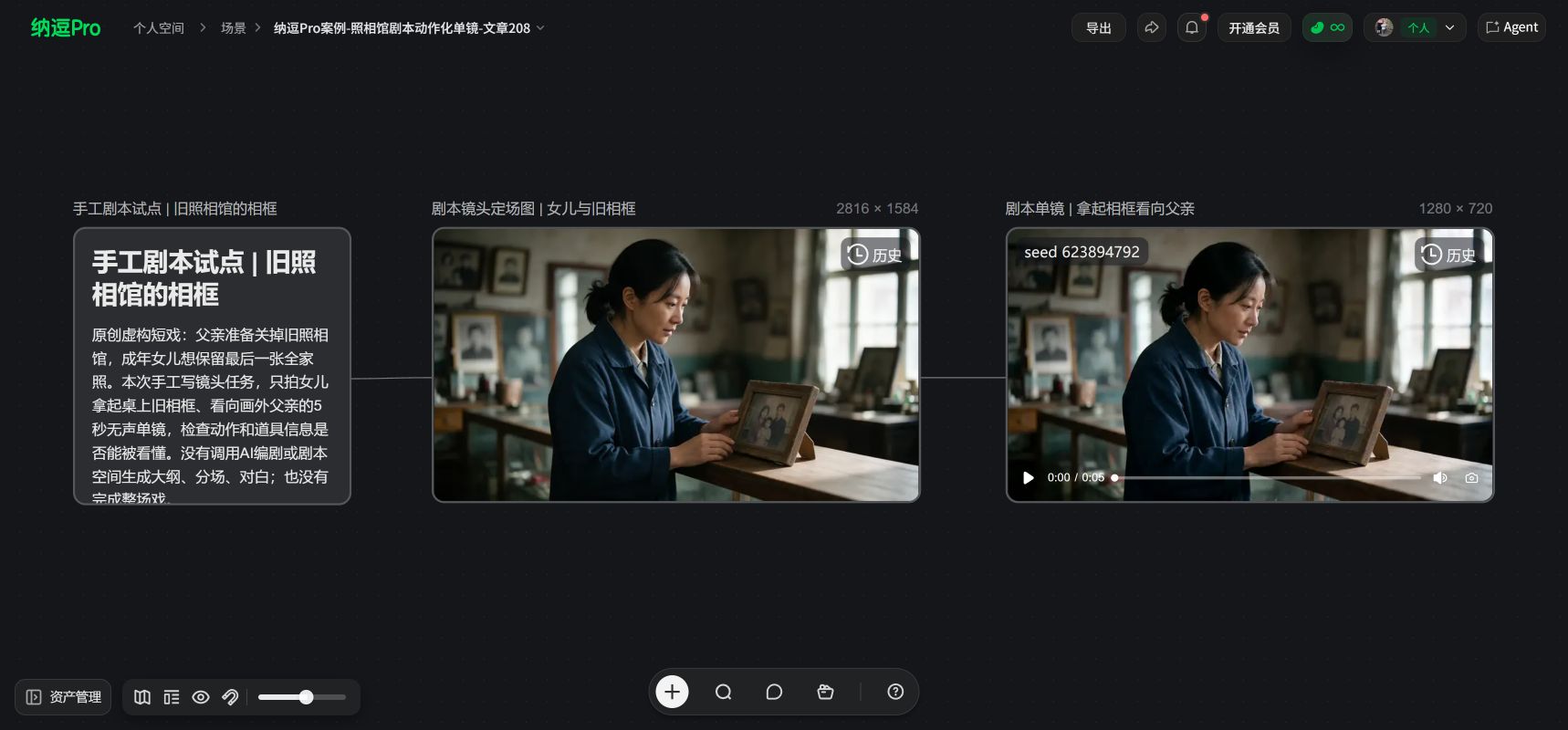
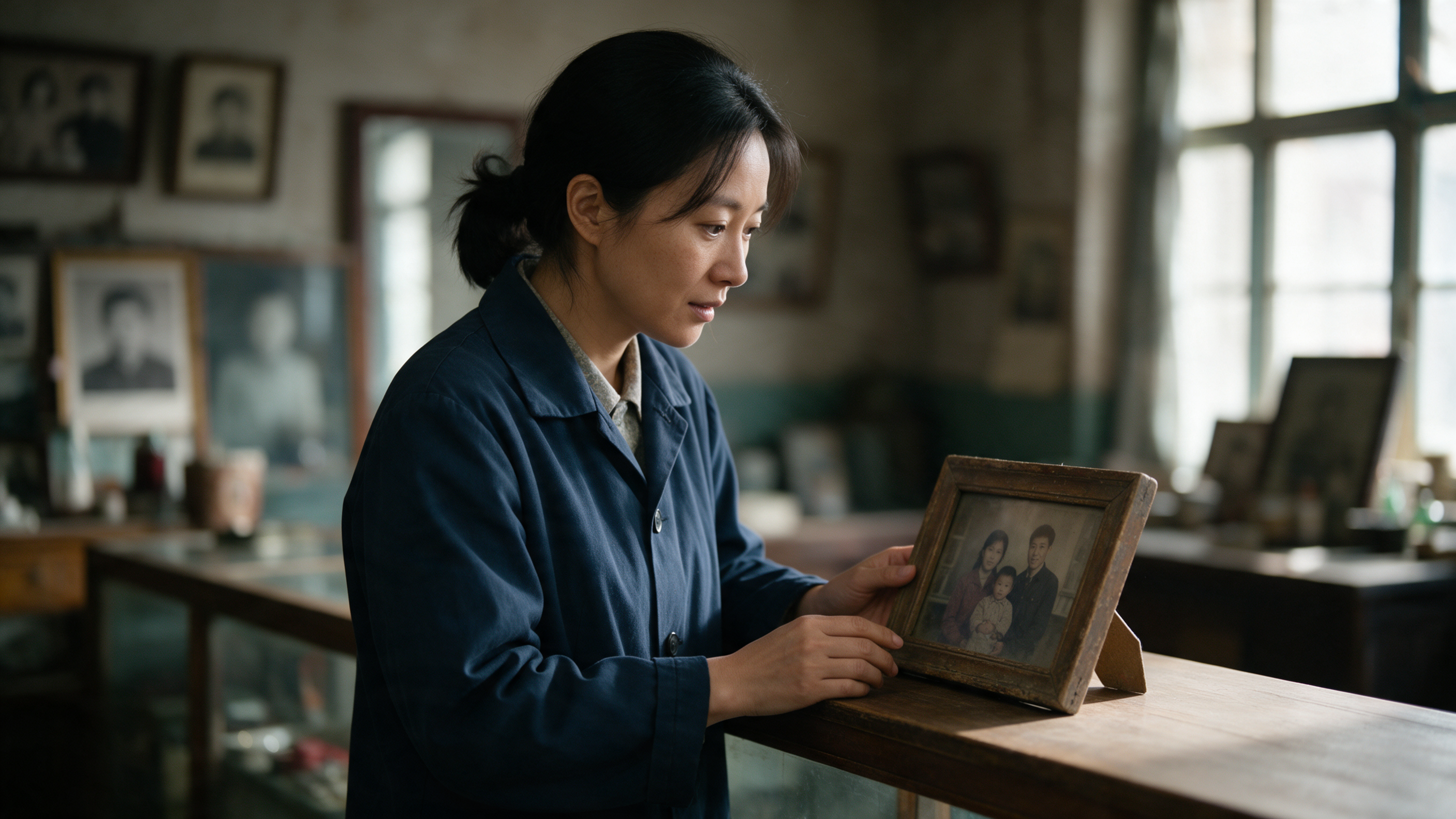
The canvas shows the task card, the establishing still of the daughter and the frame, the video, and the connections. The image makes the relationship between the character and the frame clear, which is useful to discuss how props and actions enter the shot; it does not prove the quality of plot structure, dialogue, or character arc produced by AI.
Scope of validation: Only verifies whether the handwritten script description can be converted into a single-shot image; did not test AI automatic scriptwriting, Script Space editing, or full scene breakdowns.
What can AI help with, and which decisions must you make?
Task | Can be assisted by AI | Requires creator judgment |
|---|---|---|
Story ideation | Provide different conflicts and development directions | Which direction is worth telling |
Outline and beats | Organize event order and generate drafts | Whether causality holds and whether information is repeated |
Characters and dialogue | Provide character bios and candidate dialogue | Whether behavior fits the character and whether voices are distinct |
Revisions | Modify local sections per requirements | Whether it breaks foreshadowing, themes, or continuity |
NadouPro's official documentation states that its Script Space supports creating, adapting, continuing, and evaluating scripts from ideas or existing material. Script Space Guide. This can serve as a basis for trying it out, but it does not prove that automatic output already meets production or distribution standards.
Set constraints first, then have it draft
You don't need to write very long instructions at the start; first make clear the genre, character relationships, conflict, and how far this round should go. Also specify which elements must not be changed. Just saying "make it moving" makes it hard to judge whether the draft fits the original intention.
Here is a fictional exercise:
Write a short play set in an old photo studio. The father wants to close the shop, and the daughter hopes to preserve a last chance to take a photograph. Use only two characters and one location. First provide three different conflict-progression options; for each option, state the characters' goals, the obstacles, and the ending, without expanding into full dialogue.
Read the three options once, choose how the conflict should progress, then expand further. If you write a full long piece before deciding the story direction, you may have to discard much more if you change your mind.
After the outline, check whether each scene changes anything
When reviewing beats, read along with the character's objective: what do they want to do, what prevents them, and does the relationship or situation change by the end of the scene? If several scenes only restate the same attitude or take turns introducing facts, consider merging and adjusting.
Longer projects also need maintenance of the timeline, character relationships, and a list of foreshadowing. Don't have the AI continue only from the most recent segment and forget the facts already established earlier.
Feedback from evaluation tools should also be verified against the text. For example, if it says "insufficient conflict," identify the specific scenes and character actions, then decide how to revise, rather than treating the critique word as a rewrite plan.
Read the dialogue aloud; actions must be visible
"He deeply regrets it" is not yet a concrete scene. Consider having the character do something that expresses regret, but added actions must fit the context, not be tacked on just for visualization.
Read dialogue out loud. Listen to whether characters are responding to each other or each delivering a speech. Emotions don’t all need to be spoken; pauses, avoidance, and actions appropriate to the scene can also let the audience understand.
Shot language can be left to the next step of storyboarding. The script must first make the story plausible; you don't have to write camera instructions in every line.
How to judge whether a tool suits you?
Test with the same creative task and record: whether it omits important conditions, whether it adds unauthorized plot elements, whether local edits affect other scenes, and whether outputs are easy to edit and export.
If you plan to continue production, convert the confirmed draft into a storyboard and preview a key scene. If a static shot cannot explain character behavior, revise the script first; don't rush to generate more videos.
Once a draft is finalized, keep a record of revisions, especially noting motivations, foreshadowing, and changes in information order. When you continue to have AI revise the draft later, these prior decisions provide a basis and are less likely to be overwritten by new rewrites.