
How to Choose AI Tools for Cultural Tourism Attraction Promotional Videos
How to Choose AI Tools for Cultural Tourism Attraction Promotional Videos
This time I used an original fictional valley boardwalk in the NadouPro canvas to test a cultural tourism concept shot: first create an establishing image, then generate a five-second clip from that image. The image and video had pre-submission estimates of 3 and 7 points respectively, totaling 10 points; actual charges are subject to platform records. Below I first address tool selection, then show what this test shoot can demonstrate.
When choosing AI generation tools for promotional videos of cultural tourism attractions, first be clear about what you want the piece to show visitors. If you are introducing actual tour routes, base it on real attractions, routes, and service materials; if you are producing a creative image piece, you can try generating atmospheric shots, but distinguish between real-location footage and conceptual interpretation. To judge whether a tool is good, test it with the attraction’s own materials: whether landmarks remain consistent and whether you can modify shots are more informative than just looking at demo reels.
Practical example: test conceptual attraction shots using a fictional valley
I wrote a canvas task card titled “morning valley and wooden boardwalk,” generated a 16:9, 2K establishing image, and then used that image as the sole visual reference to generate a 5-second, 720p, silent short clip. The canvas retains the task card, image, and video nodes and their connections to facilitate comparison of composition and scene continuity.
Open the NadouPro sample canvas, to view the task card, establishing image, short video, and connections.
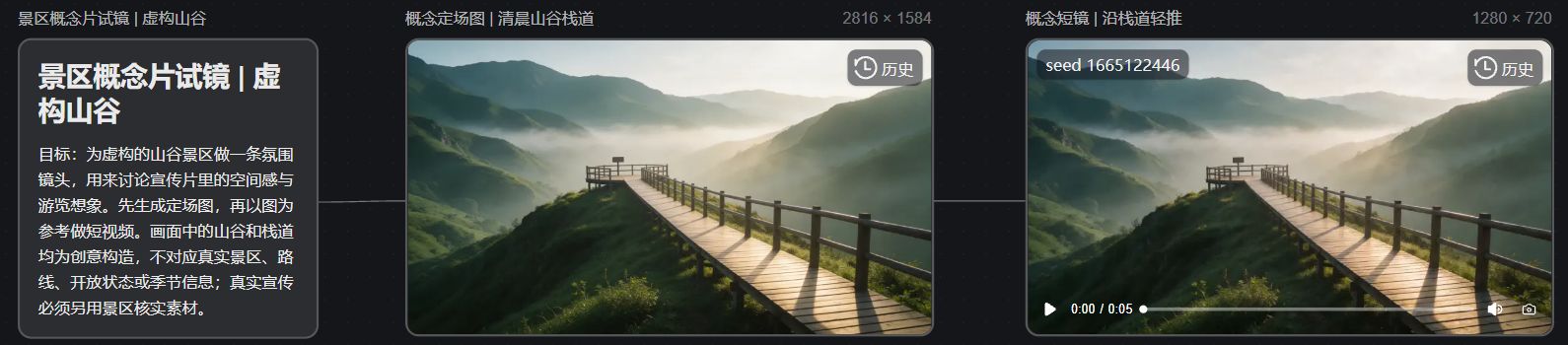
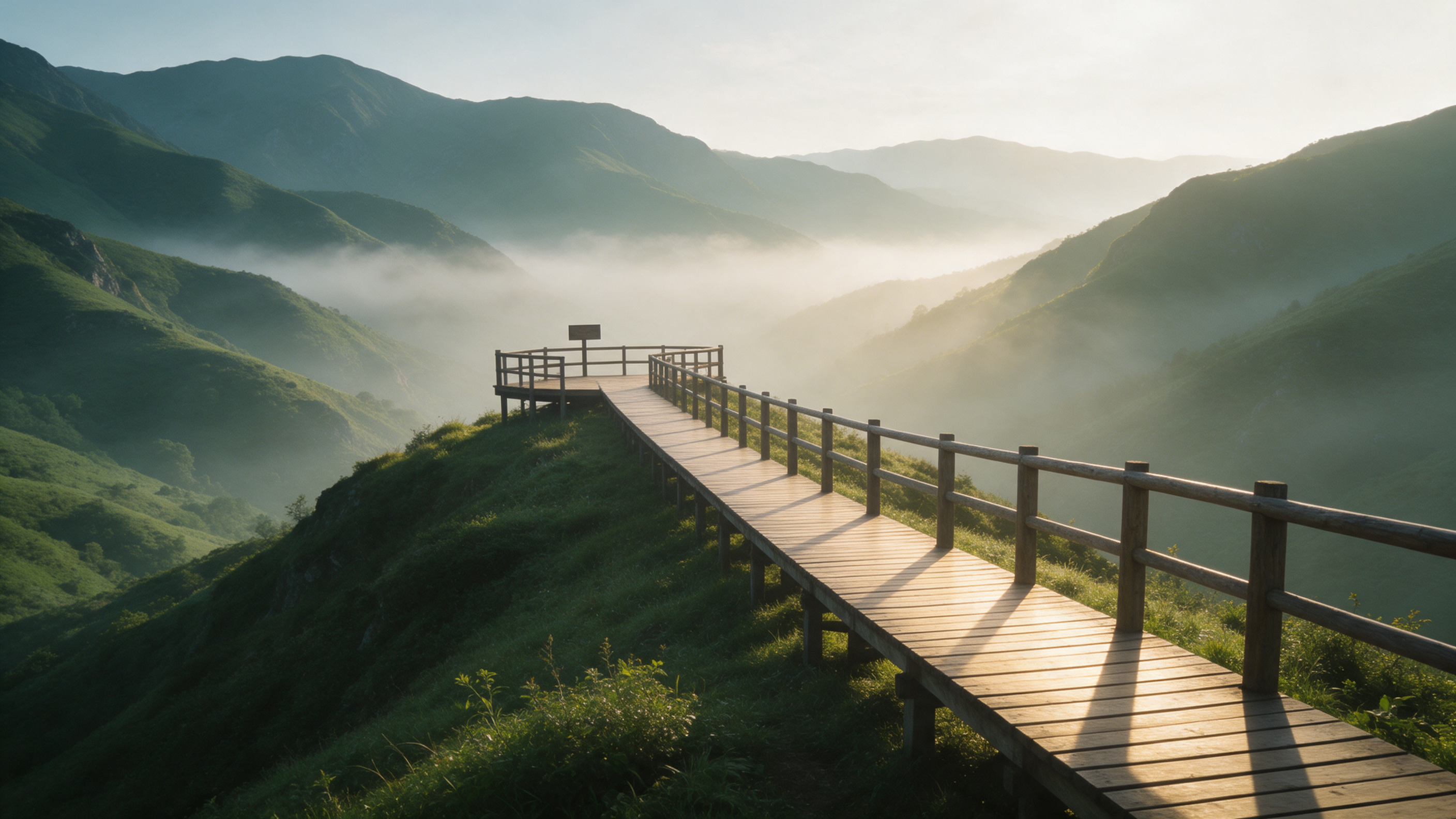
The canvas first frame shows valley mist, a viewing platform, and a wooden boardwalk leading forward. Such images can be used to discuss the promo’s atmosphere and camera direction; whether there is sufficiently stable motion and structure needs to be checked frame by frame in the full clip.
Scope of validation: This example is entirely a fictional conceptual scene and did not use real attraction photos, route, opening status, or seasonal activity information; it cannot be treated as actual attraction material or verified tour promotion material. The image was generated using Seedream 5.0 Pro and the video using Seedance 2.0 Mini; the above points are pre-submission estimates, and actual charges are subject to platform records.
Decide first what you want visitors to learn from the piece
If introducing tour routes, you need to clarify relationships between locations; if promoting a cultural theme, use story and visual style to attract viewers; if announcing seasonal activities, align the content with confirmed opening and activity information. These different goals impose different requirements on the imagery.
Promotional task | Material arrangement | Parts suitable for AI testing first |
|---|---|---|
Attraction and route introduction | Current live-shot, verified route information | Script organization, storyboard plan |
Brand image short | Real landmarks and clearly labeled creative shots | Atmosphere, visual transitions, conceptual shots |
Historical and cultural themes | Sourced historical materials and current-condition assets | Clearly labeled dramatic reenactments |
Seasonal activity announcements | Confirmed activity details and assets | Layouts, pacing, and creative concepts |
Historical reenactments cannot replace historical sources, and generating snow in an image does not prove that the attraction will have snow on a given date. Promises about what visitors will see or experience must be checked against the attraction’s actual information.
Test tools with the attraction’s own difficult shots
When trying tools, choose a recognizable landmark rather than generic elements like trees or mist. For example, use a confirmed photograph of an ancient building to test slight camera movement and observe whether roofs, doors, plaques, and surrounding positions change. This section describes a testing method example and does not imply that any specific tool has passed the test.
Being able to upload many reference images only shows that the tool accepts such input. Whether roofs, doors, and plaques still align correctly in the video requires separate checking; you cannot mark a feature as verified just because the option exists in the feature list.
Then change the camera movement or atmosphere again to see if the previously correct landmark details are preserved. If one change forces you to redo the whole segment, account for that rework time in your costs.
Where NadouPro can fit into the production workflow
Using NadouPro as an example, you can use the workspace to organize script, subjects, and storyboards before entering production. It’s suitable for deciding which scenes will appear and what each voiceover will say first, then preparing assets shot by shot. NadouPro workspace guide
In practice, label each shot with its source and purpose: live photos to introduce locations, generated footage to express themes. Even if everything is placed in the same production project, do not mix them into an undifferentiated asset library that obscures origins.
For locations that must be shown accurately, prioritize keeping live-shot footage. Using generated references is more appropriate for initial creative validation and should not be treated as a tool for landmark surveying or structural replication.
From demo clips to release, reserve a content verification step
Using a 45-second attraction branding video as an example, you can first introduce the location, then present a clear theme, and finally provide actionable tour information. The duration is only the task setting for this example; shot count and dwell times should follow the content and not include irrelevant scenery just to fill fixed storyboards.
When editing, don’t let every shot merely chase the music. Allow landscape wide shots a bit more time for recognition space; activity footage should let viewers see specific experiences clearly. Put place names, activity times, and contact information into separate subtitles and verify them one by one.
Have someone familiar with the attraction’s operations proof the final cut: does the footage belong to this attraction, does the season match, are the displayed areas open, and does the historical narration have source support. Finally, watch the whole video on a phone and especially check whether the descriptions of creative shots remain clearly visible. Only when visitors can form accurate expectations after watching has the promotional video fulfilled its purpose.