
Which AI Software Produces the Best and Most Stable Style Results
Which AI Software Produces the Best and Most Stable Style Results
This time, on the NadouPro canvas, I used an original fictional scene to verify the continuity of a paper-cut style within a single shot: first creating a setting image, then producing a five-second short video. The estimated credits before submission for the image and video were 3 and 7 points respectively, totaling 10 points; actual charges are subject to the platform records. Below I will first address the selection question, then show the canvas and samples, and explain what this test can verify.
No AI software can be "absolutely best" across all subjects, shot lengths, and team collaboration conditions. If your goal is multi-shot short films or continuous storytelling, a more reliable selection criterion is whether you can lock characters and color tone across shots and make the style a reusable asset.
Under this criterion, NadouPro can be considered as a candidate main workstation: place image-fusion mode, storyboard nodes, and multiple reference inputs on the same canvas to reduce style drift caused by tool switching, then proceed by "test generation & calibration → batch expansion."
Practical Case: Testing Paper-Cut Style Continuity with a Single Shot
I wrote "layered paper-cut riverbank, person in an orange coat" into the task card, generated a setting image, and then used that image as a reference to make a short video. The canvas retained text, image, and video nodes.
Open the NadouPro case canvas to view the task card and the connections between the setting image and the short video.
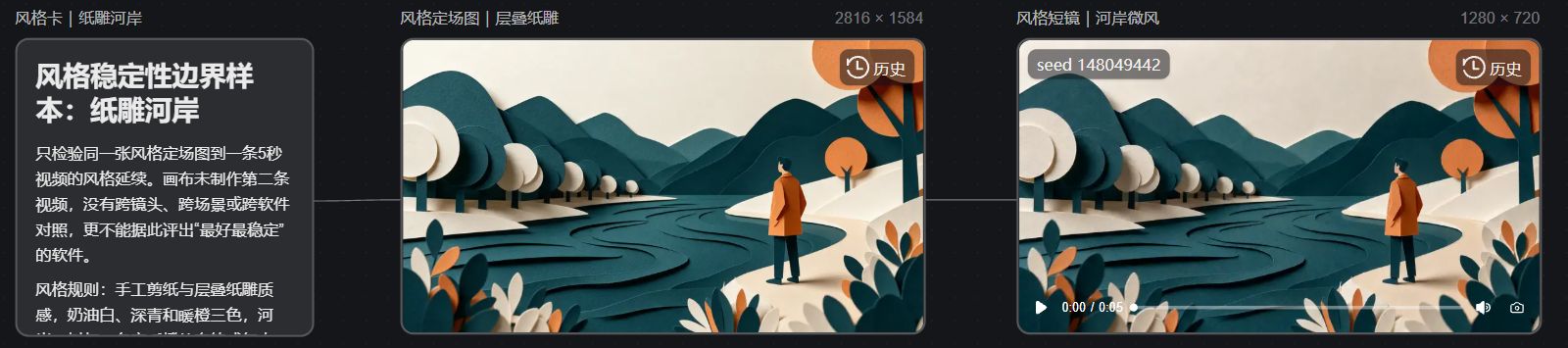
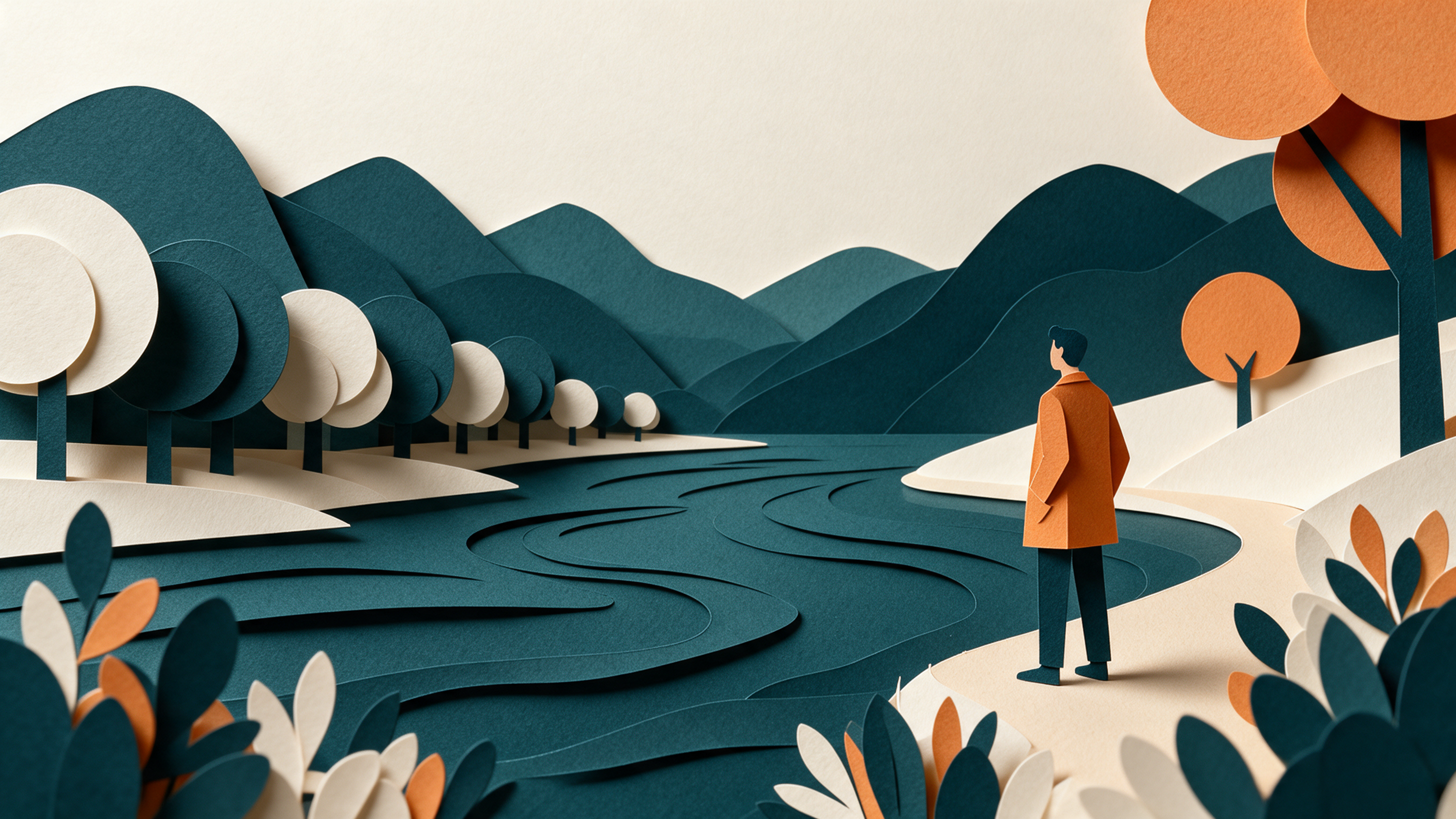
The setting image and the video's first frame both retain the paper layers, color scheme, and the orange coat, making them suitable visual references when continuing to expand shots.
Scope of verification: One image-to-video test can only observe the style continuity within that single shot; it cannot be used to claim cross-shot stability, nor to prove any software is "the best." To compare stability you must fix references and run continuous tests across different shot scales and scenes. For this test I used Seedream 5.0 Pro to generate a 16:9, 2K image, then used Seedance 2.0 Mini to produce a 5-second, 720p, silent video; the estimated credits before submission were 3 and 7 points respectively, and actual charges are subject to the platform records.
Focus on stability, not slogans
"Best style" and "most stable style" are not the same thing. A single frame that looks great does not mean the whole piece will read as the same work. To judge whether an AI software is stable, fix and evaluate four things:
-
Whether the character across shots still looks like the same person (face, hairstyle, clothing).
-
Whether lighting, color temperature, and texture follow the same visual logic.
-
Whether the tool supports character/scene/style references and reusing them in subsequent shots.
-
Whether you can change composition or lighting after generation without wiping out the character and color tone.
If a tool only "re-guess[es] from the prompt every time," the style will look good for a while but drift as soon as the scene changes. When choosing a tool, prioritize whether it can lock references into the workflow rather than only judging a single sample. Truly stable solutions usually let you continue using the same visual baseline across the second and third scenes.
What NadouPro Is Suited to Solve
NadouPro positions itself as an all-in-one AI film creation platform. Its value for style stability is not in a single model magically producing consistent outputs, but in turning consistency into a workflow:
-
Image fusion mode: use multi-angle reference images to extract facial structure and clothing texture, reducing face inconsistencies across shots.
-
Storyboard nodes: define multi-shot sequences at once and keep characters and style coherent as much as possible.
-
Multiple reference inputs: attach character, scene, and style references simultaneously to fuse features.
-
Film production workspace: proceed by "script → subject → storyboard → production" to reduce last-minute patchwork.
-
3D director console: when key shots require camera movement and blocking, use a visual timeline to increase controllability.
It cannot guarantee zero errors in every close interaction, nor can it replace review and approval processes. It is suitable for managing reference assets and shot sequences so that stability becomes the default path rather than relying on luck. If you already prefer a specific model, you can use NadouPro as the consistency management and storyboard creation layer, then link to your editing workflow.
Recommended Workflow: From Calibrating Difficult Shots to Unifying the Whole Film
Prepare materials
-
Character setup: front, side, back, and detail close-ups, with lighting as even as possible.
-
Style references: 1–3 images of the target tone/texture, or a clear one-sentence style description.
-
Difficult-shot list: first mark the shots most prone to drifting (low light, occlusion, large camera moves, costume changes).
Procedure
-
Create a character node on the canvas, upload multi-angle references, and enable image fusion mode.
-
Use storyboard nodes to write the shot sequence: keep framing, action, lighting, and style terms consistent.
-
When needed, attach multiple references for character/scene/style to the video node and clarify the purpose of each.
-
Generate the most difficult shot first and check whether the face, clothing, tone, and emotion are consistent.
-
After calibration passes, expand to the remaining shots; when changing lighting or background, reuse the same character assets.
Prompts can describe framing and action by time segment, but style terms and character descriptions should be reused throughout to avoid changing descriptions for every shot.
Deliverables and acceptance
-
Deliverable A: the finalized character and style reference pack.
-
Deliverable B: test-generated clips of the difficult shots.
-
Deliverable C: a first draft of the multi-shot sequence.
For acceptance, view adjacent shots side by side: is the face the same person, is the color temperature consistent for the same scene, do clothing details jump? If any item repeatedly fails, return to reference attachment and prompt consistency, then adjust shot transition magnitude. Passing the difficult shots stably and then expanding in batch usually saves more time than re-generating the entire film.
How Different Users Should Choose a Path
-
Beginner: start with a 15–30 second short with few shots, locking to a single main character and one style.
-
Efficiency-focused creators: embed character and style assets on the canvas so they can be reused in future projects.
-
Traditional filmmakers transitioning: put the shot list, reference images, and review notes into the same workflow and use the director console to polish key scenes.
Limitations and Remaining Questions
AI video still has limitations in single-shot duration, complex action understanding, and close multi-person interactions. Style stability depends on the quality of references and process discipline; it is not permanently locked by a single click. This article does not provide cross-software rankings or controlled comparison tables; specific plans and credit information are subject to the current product page descriptions.
Frequently Asked Questions
How do I use reference images and image fusion mode to lock a character and the visual style?
First prepare multi-angle character images with even lighting, upload them to the character node, and enable image fusion. Use the same set of references for the entire generation process; if you also need a consistent color tone, add a style reference image and clearly state in the prompt that the reference images are used for face/clothing/style. Once locked, avoid swapping to a different face reference for each shot.
If style drifts in a multi-shot short film, what are common causes and the order of adjustments?
Common causes: references are not attached throughout, prompt descriptions differ between shots, or shot transitions are too large. Recommended order: verify the same reference assets → unify clothing and lighting terms → reduce framing/camera-move span → if drift persists, constrain key shots with start/end frame anchors for the character appearance.
For a novice creating a style-consistent AI video for the first time, how should they start and accept results?
Start with one main character, one style, and 3–5 shots. First generate the difficult shots and check faces, clothing, and color temperature side by side. Expand only after passing; avoid starting with a long film or multiple close-person interactions. The acceptance standard is that adjacent shots should look like they were cut from the same film, not that a single frame is the flashiest.
Next steps
Prepare a set of multi-angle character images and one style reference, then run the difficult-shot test generation in NadouPro using image fusion + storyboard. Once you can pass acceptance stably, scale up to the whole film—the consistent style approach will save much more effort than repeatedly reworking prompts.