
Recommended AI Promotional Video Tools: How to Choose and Implement a Production Path
Recommended AI Promotional Video Tools: How to Choose and Implement a Production Path
When choosing an AI promotional video tool, first determine the video format and delivery standards. If the piece includes characters, scenes, and a story, consider NadouPro; if it centers on an on-camera presenter, consider HeyGen; if you need to generate an informational video draft from a text theme, consider InVideo AI. The production paths below are based on each product's official documentation and do not include a comparative review of image quality, speed, or price. I used NadouPro to create a single-shot tabletop casting test for a fictional pair of headphones to illustrate single-shot verification: a 2K scene-setting still followed by an approximately 5-second silent short clip, with a pre-submission estimate of 3 plus 7 credits. This does not correspond to a real product, nor is it a complete commercial promotional video.
Direct answer: First clearly write who or what is being promoted, the target audience, the single key point, the call to action, and the delivery aspect ratio. Then use the same brief to test the one shot most likely to fail. The structure, logos, prices, and effects of a real product must be verified against approved materials; generated imagery cannot replace factual verification.
Filter candidate tools by video format
Video format | Tools to consider | Test focus |
|---|---|---|
Brand story or scene-based product film | NadouPro | How scenes, product, and storyboards are organized; cross-shot details require separate verification |
On-camera presenter or service introduction | HeyGen | Line delivery, on-screen performance, and brand tone |
Informational short video draft | InVideo AI | How text-to-video is organized, whether assets and copy can be edited |
These judgments reference the NadouPro workspace guide, HeyGen official AI video generation introduction, and InVideo text-to-video documentation. Their uses are not mutually exclusive, and official feature descriptions do not prove any tool will automatically satisfy full commercial delivery requirements.
If you already have accurate live-action product assets, you can continue to use your existing post-production workflow and only use AI to fill missing scenes. When a product's interfaces, opening mechanisms, or operation steps must be accurate, live-action or controllable 3D assets are usually easier for factual verification.
The kickoff brief must clearly state five things
Write down what is being promoted, who it is for, the single most important point to communicate, what action you want viewers to take, and where it will be published. Then list available product photos, logos, color schemes, copy, and their versions. For specific selling points such as battery life, noise cancellation, or price, include approved supporting evidence; do not allow generative models to invent product performance for the brand.
Annotate reference images with details that must not be changed, such as the case opening method, ports, colors, and logos. Even if you provide reference images, check each item after generation. Converting from landscape to portrait also requires separate review of product positioning and subtitle placement; do not change only the aspect ratio.
Break a selling point into verifiable shots
Shot task | Candidate assets | Review focus |
|---|---|---|
Recognize the product | Confirmed product close-ups | Accurate appearance, proportions, and branding |
Understand usage context | Desktop, commute, or work scenarios | Scenes must be relevant to the audience and must not imply non-existent features |
Remember one key point | Live-action details, accurate graphics, or added subtitles | Copy must be consistent with approved facts |
Take the next step | Brand close and call to action | Information must be readable and not cropped within the frame |
The headphones are only a fictional prop in this article. Actual branded videos must be verified item by item against real product materials; do not treat features shown in the sample as an accurate reproduction of any specific SKU.
Real canvas case: single-shot product experiment with fictional headphones
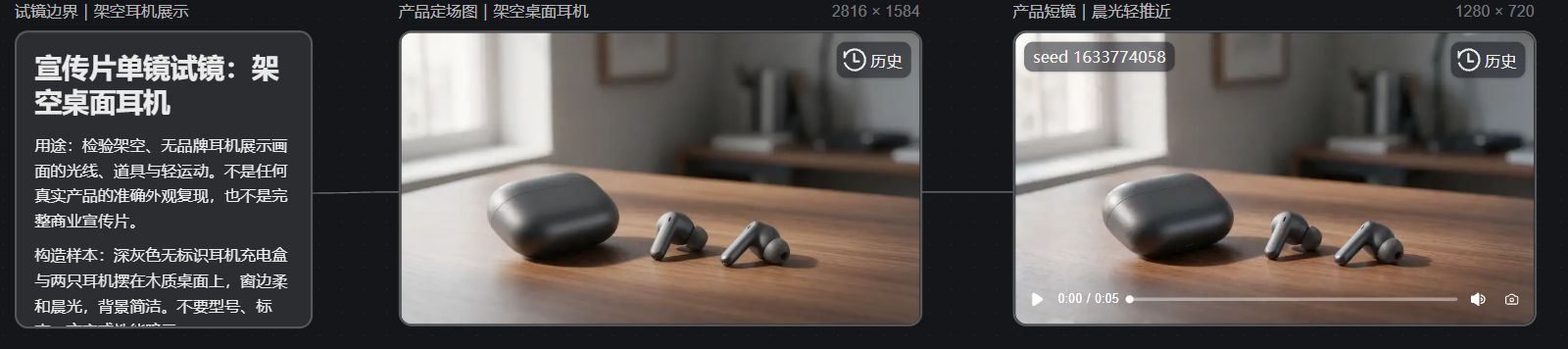
In the NadouPro case canvas, I first wrote the commercial usage boundaries and then linked the product scene-setting still to a short video node. The goal was to check whether the desktop, a closed headphone case, two earbuds, and the morning light were consistent from the still frame into the dynamic opening shot. The case does not use any real brand, model, price, or performance data.
The scene-setting still generated by Seedream 5.0 Pro is 2816×1584. The image shows a dark gray closed charging case, two separate earbuds, a wooden table, and soft window light from the left. It is suitable for testing the visual direction of a single shot but is insufficient to prove that the headphone structure matches any real SKU.
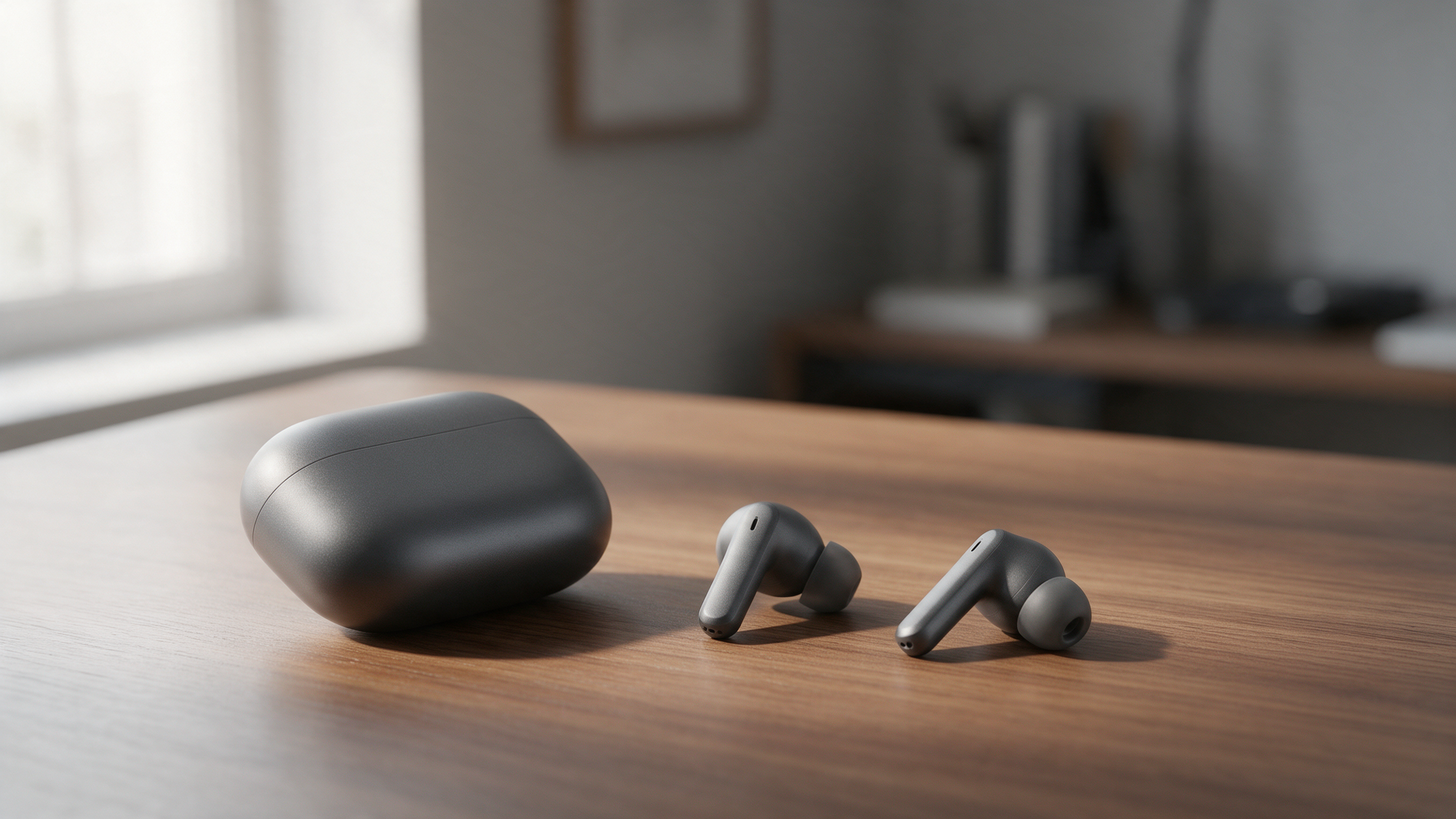
Using that image as a visual reference, Seedance 2.0 Mini generated a continuous short shot at 1280×720, about 5 seconds long, with no audio. The web preview first frame shows a charging case and two earbuds still in a similar position on the wooden table; this only proves that the main props continue into the first frame and cannot replace frame-by-frame appearance and commercial fact verification. This step only validates the basic direction of the desktop product shot and does not complete real product verification, selling-point subtitles, voiceover, editing, vertical adaptation, or brand approval.
The image below is a screenshot of the live canvas web page for this case; the boundary notes, scene-setting still, and short video node can be checked on the same canvas. See NadouPro's media generation guide to view the current generation workflow.
For the first version, review facts first, then visuals
First, have someone unfamiliar with the project watch it once: can they identify the product and remember the key point? Then have the brand verify structure, logos, subtitles, price, and narration item by item. After the content is confirmed, adjust color, transitions, and pacing; the product name must not be drowned out by music, and all generated text and subtitles must be manually checked.
After completing one item and processing feedback, lock the script structure, asset versions, and review standards, then expand scenarios or audience variants. Passing a template once does not guarantee subsequent items will correctly reflect every product detail. Time, rework, and actual resource consumption should all be factored into the choice of tools.