
Which AI comic-generation tool is best? Decide your goal first, then choose the path
Which AI comic-generation tool is best? Decide your goal first, then choose the path
I used the NadouPro Canvas to produce a casting test in a comic style for “The Letter by the Library Window”: a single-panel concept image plus a roughly 5-second silent short clip. Before submission, the estimated costs were 3 积分 and 7 积分 respectively, totaling an estimated 10 积分. This can only check whether the character, props, and linework can carry from a still frame into a motion segment; paneling, dialogue, and layout for a static comic page were not completed in this case.
Short answer: “Which is best” depends on the final deliverable. If you only need a character concept image, choose based on image generation and modification efficiency; for multi-page static comics, you must also check paneling, speech bubbles, text, and cross-page reading; for motion comics or trailers, you must additionally verify action, sound, and editing. First test one panel and change one prop for the same character and short scenario, then decide the tool combination—don’t infer that a whole comic can be delivered from a single nice image.
First distinguish between static comics, storyboards, and motion comics
Delivery target | Primary acceptance criteria | Tool paths to consider |
|---|---|---|
Comic-style character or single-panel concept art | Appearance, linework, and editability | Image-generation entry points, such as NadouPro image features |
Multi-page static comics | Paneling, speech bubbles, text, and reading order | Image assets plus comic-layout tools |
Storyboard | Shot tasks, sequencing, and spatial relationships | NadouPro workspace plus manual review |
Motion comics or trailers | Action, character continuity, sound, and pacing | Generate short shots first, then edit and mix audio |
NadouPro’s media generation guide and workspace guide describe asset generation and production organization respectively. The Clip Studio Paint official comics feature page lists paneling, text, and speech bubble tools and can be considered as a candidate for static page layout; here it is not treated as a “one-click AI comic generator,” nor has any cross-tool practical ranking been performed.
Test continuity using the same character and props
First fix the character’s hairstyle, clothing, identifying color, and line style, then write a small action that can be split into several panels, for example “finds the letter on the table → reaches for the letter → reaction after reading.” For each panel, compare the character silhouette, prop placement, and gaze direction. Reference images help communicate the goal but do not guarantee that the next panel will automatically keep the exact same appearance.
For static pages, arrange panels and dialogue positions first so readers know where to look first. Chinese dialogue should be handled as editable text for separate proofreading; text generated inside the image cannot be taken directly as correct lines. Check whether bubbles block expressions at the actual reading size, and whether information connects properly across page turns.
Real canvas case: from a single-panel comic-style illustration to a light motion clip
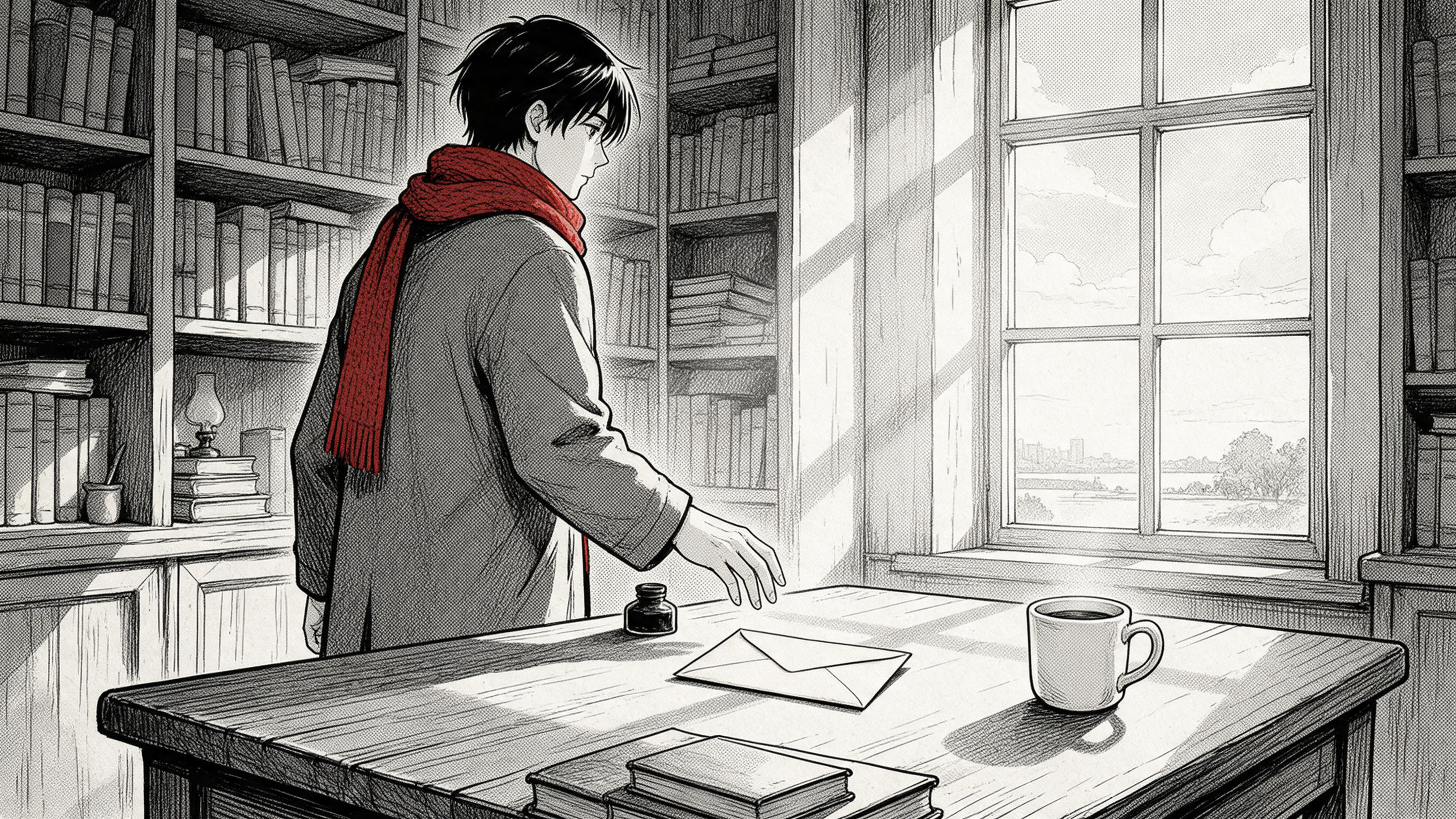
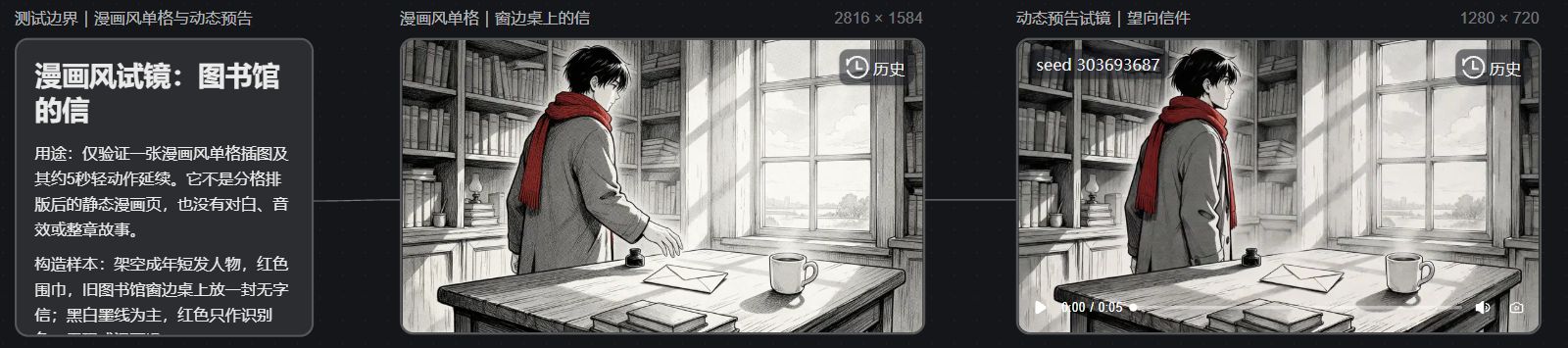
This is an original fictional sample created for the article and does not correspond to an existing comic IP. In the NadouPro sample canvas, there is first a casting test boundary description, followed by a linked single-panel concept image titled “The Letter by the Library Window” and a short video. The description card clearly states: a single-panel illustration is not a complete comic page, and the motion segment is not an already-edited motion comic.
Seedream 5.0 Pro actually generated the scene image at 2816×1584. The picture uses black-and-white linework to depict bookshelves, a wooden table by the window, and a letter; the short-haired character’s red scarf is the main identifying color, and the hand is extended toward the table but has not yet picked up the letter. The image is used to verify the character’s scarf, the letter’s position, and the comic linework; it is not intended for dialogue bubbles or panel layout.
Using that image as a visual reference, Seedance 2.0 Mini generated a 1280×720, approximately 5-second, silent single-shot clip. The first frame still retains the library, the red scarf, the letter on the table, and the black-and-white linework, but the character’s hand pose differs from the reference frame; therefore, one can only say that the main visual elements persist, not that the motion and character details are exactly the same. This sample clip is only suitable for an initial check of whether linework, the scarf, and the letter persist within a single shot; multi-panel narration and cross-shot character consistency still require separate verification.
The image below is a screenshot of the actual canvas page for this case, where the description, single-panel image, and video nodes are linked for on-screen verification.
Before choosing tools, try another round of revisions
Take the sample segment and adjust a line of dialogue or swap a prop, and record how many panels, shots, and files need to be changed. If the main work is static pages, focus on checking layers, paneling, and editable text; if the main work is motion comics, focus on whether the linework flickers during motion, whether the character deforms, and whether voiceover can keep up with the shot. Complex actions can be split into shots and explained through editing rather than requiring continuous motion in every panel.
Deliver the test clip together with the character settings, reference images, generation prompts, and version numbers to the next production person, and confirm they know which version to continue from. Single-image speed is only one metric; the amount of rework for full delivery, the editing time, and the reading experience determine whether a tool is suitable.