
How to Choose AI Children’s Animation Generation Software? Nadou Pro Implementation Path
How to Choose AI Children’s Animation Generation Software? Nadou Pro Implementation Path
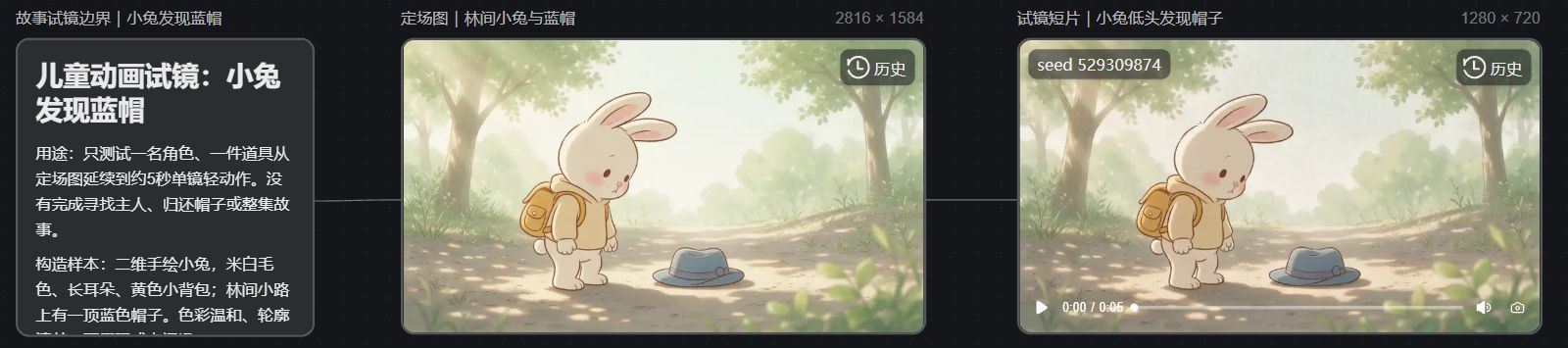
I created an original children’s animation audition on the Nadou Pro canvas called "Little Rabbit Finds a Blue Hat": a single establishing image followed by a roughly 5-second silent short clip. Before submission the estimated costs were 3 积分 and 7 积分 respectively, totaling an estimated 10 积分. It can only test how one character and one prop perform in a single shot; it should not be treated as a complete story or a finished children’s piece of "finding the owner and returning the hat."
Direct answer: When choosing AI children’s animation software, first look at the deliverables: for character appearance segments focus on reference images and simple movements; for short stories with a narrative arc also check storyboards, shot substitutions, voiceover and editing; for fixed-character series check asset reuse and cross-scene consistency. Use the same script and the same set of character reference test clips, and record the number of reworks, costs and editing time—this will judge suitability better than judging by how lively demonstration reels are.
List the must-pass tests by project objective
Target project | Priority tests | Passing criteria |
|---|---|---|
Character showcase or children’s song illustrations | Reference images and simple actions | Does the character still resemble the original design when animated? |
Short story with beginning and end | Storyboards, shot transitions and audio editing | When several shots are connected, can children understand what happened? |
Fixed-character series | Asset reuse and cross-scene continuity | Do appearance and voice remain consistent after changing scenes? |
Detailed performance | Key actions and post-production modifiability | Can specific expressions and gestures be adjusted? |
If key plot points rely on a line’s lip sync or fine hand gestures, you should include traditional animation, editing and post-production controls in the plan. Nadou Pro can be considered as a candidate; this article does not perform cross-product hands-on testing and does not rank which one is definitively best.
Test tools with the same short story; don’t judge based on a single finished clip
Use a constructed exercise to choose tools: "The little rabbit finds a blue hat on the road, looks for the owner, and finally returns it to Little Bear." Fix the rabbit’s ear shape, off-white fur color, yellow backpack and hat color, then split the story into three segments: discovery, search, and return. For each segment, write down character positions, actions, shot sizes and prop states.
When testing clips, record four items: number of usable shots generated on the first try, whether new problems appear after reworks, whether dialogue and music can be adjusted separately, and the generation cost and editing time for the complete sample. Single-shot generation is fast, but if you keep fixing characters, hands and prop relationships later, the whole project may not save work.
Reference images are materials to express constraints, not guarantees of an unchanging face. Nadou Pro's 官方使用手册 introduces the beginner creation workflow; actual production still requires comparing characters, costumes and scenes shot by shot. Color should also be determined by the story and the audience; children’s animation should not be equated simplistically with high-saturation images.
Real canvas case: first validate the "finding the blue hat" single shot
This case was an original sample constructed for the article; it did not use any existing children’s animation IP, nor did it complete the subsequent search and return-the-hat scenes. In the 纳逗Pro案例画布, the description, establishing image and short clip nodes are connected in sequence. The description card first clarifies the protagonist, backpack, hat and the scenes not to be made, making it easier to check whether the generated results exceeded the scope.
Seedream 5.0 Pro generated an establishing image of 2816×1584. The scene contains only one off-white little rabbit; its long ears and yellow backpack are discernible; a blue hat lies on the forest path in front of it, the lighting is soft, and the character has not yet touched the hat. It is suitable for confirming the rabbit's appearance, the blue hat's position and the forest tone, providing reference for the subsequent "discovery" action.
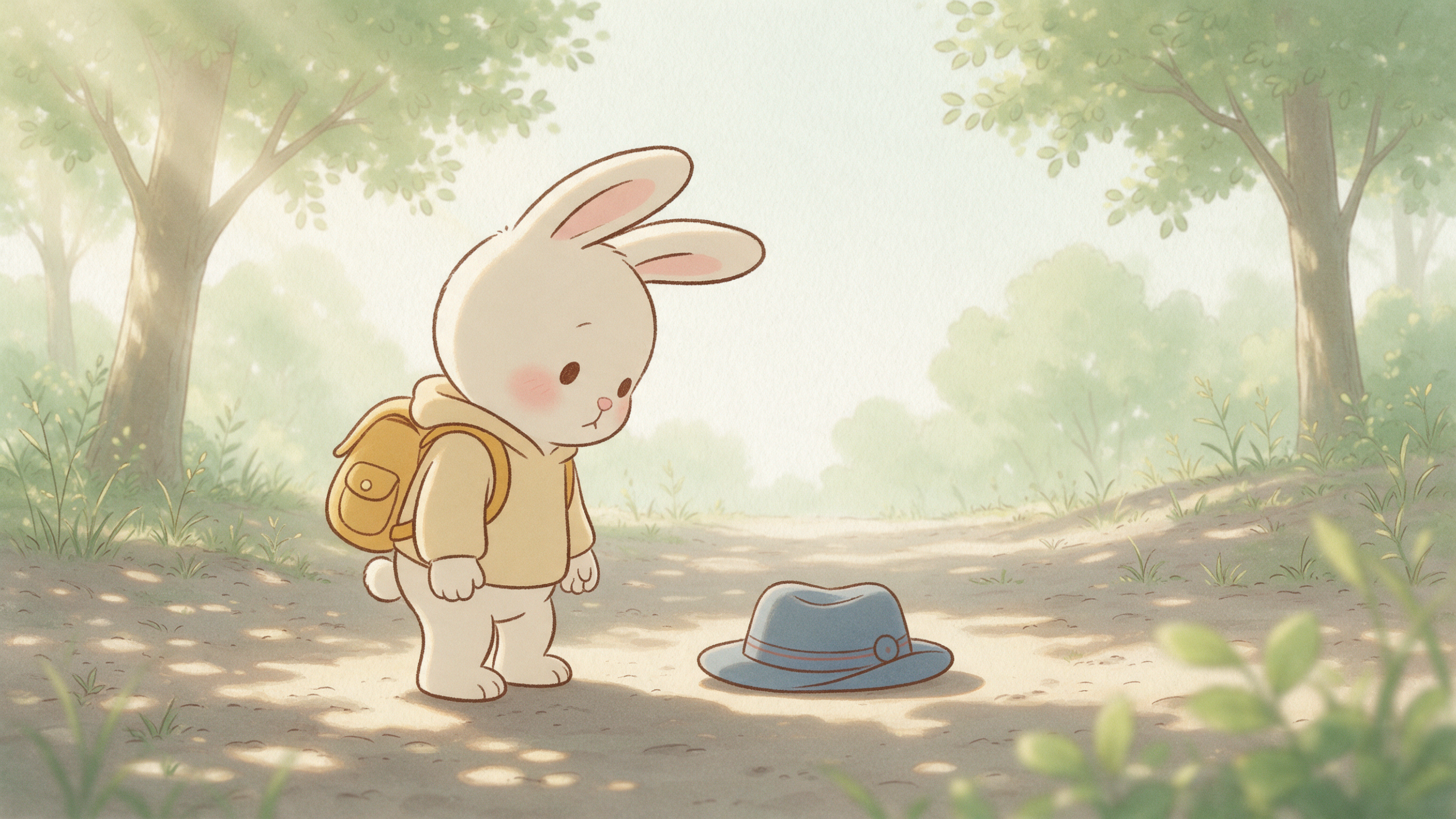
Using this image as reference, Seedance 2.0 Mini generated a 1280×720, approximately 5-second, silent short clip. Visually online, the rabbit is still standing beside the hat, with slight variations in ears and face; the yellow backpack and blue hat remain recognizable in the same scene. This only supports a preliminary judgment of character and prop continuity within a single shot; picking up the hat, handing it to Little Bear and voice editing still need to be produced and accepted separately.
The image below is a screenshot of the real canvas webpage for this case, which allows you to verify the description, establishing image, video node and connections.
From single shots to a complete children’s story
First, fill in the key scenes: If contact between the hand and the hat is repeatedly unstable, break "seeing the hat", "holding the hat", and "the owner's reaction after taking it" into separately editable shots. Check ears, backpack, hat color and position in each shot, and don't rely on a single video to carry all actions.
Then handle audio: Narration should only supplement information that the visuals cannot easily convey; dialogue and voiceover should be proofread separately. Music sources and usage scope should be recorded; the ability to generate audio does not mean all publishing uses are authorized. Nadou Pro's 画布说明 describes various ways to organize nodes; specific production still depends on this project's assets and requirements.
Finally, conduct audience viewing tests: Have people unfamiliar with the script watch the rough cut and ask "What does the protagonist want to do, what did they encounter, and how did it end?" Then check whether voices are masked by music, whether the visuals have strong flicker or sudden startling elements, and whether subtitles can be read clearly. If they cannot answer, first adjust shot relationships or narration instead of adding more effects.